Start with the question the search box cannot answer
The phrase youtube to mp3 describes an output, not permission or technical availability. Before choosing an audio format, verify that you own the source or that its publisher permits reuse. For this evidence run, we used the Blender channel’s official “Big Buck Bunny 60fps 4K - Official Blender Foundation Short Film.” The YouTube player showed 10:34; the associated [Blender Studio project page](https://studio.blender.org/projects/big-buck-bunny/) documents the open-movie project. A visible license or owner permission is evidence. A public URL by itself is not.
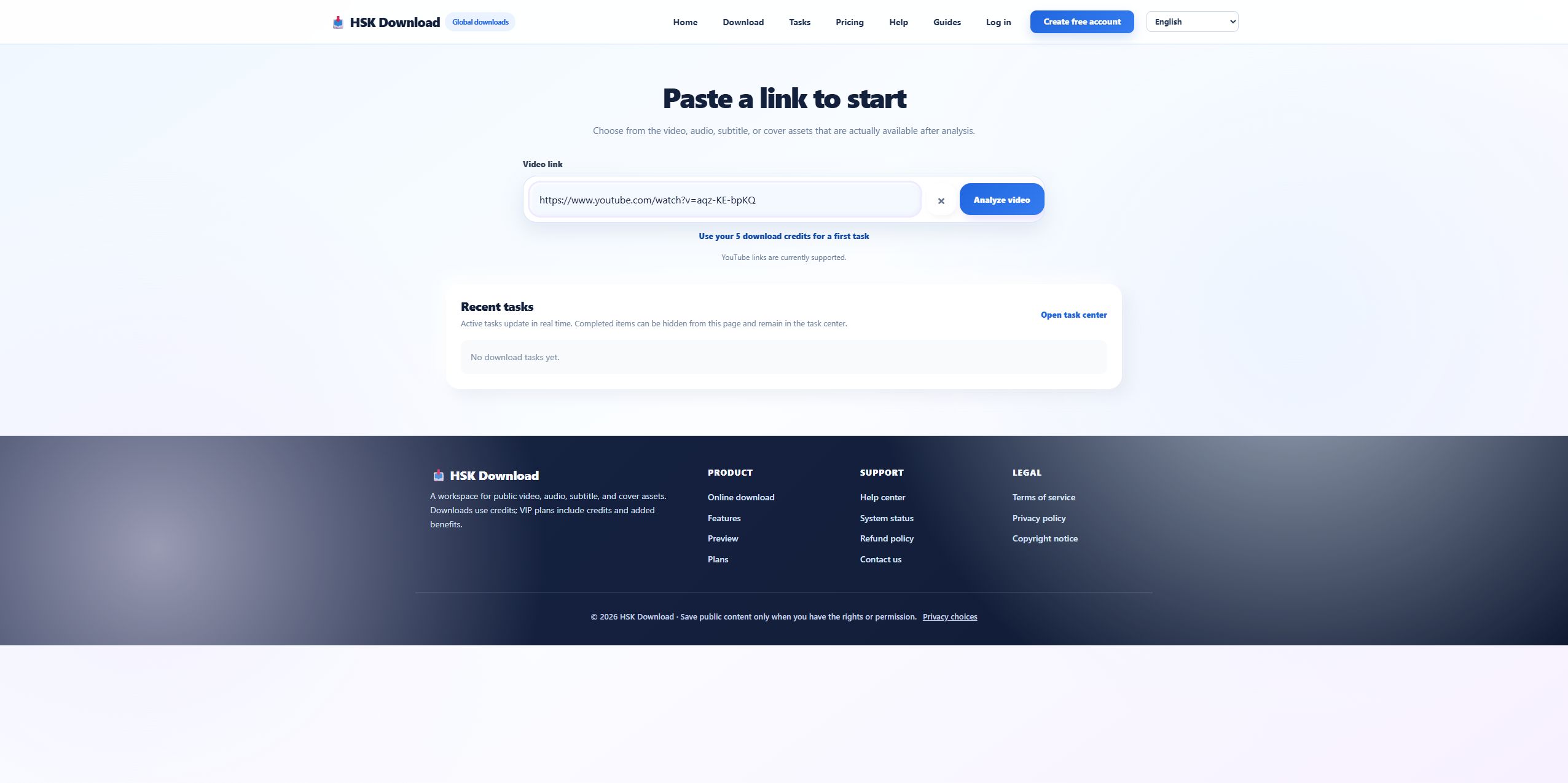
Define the test boundary before reporting a result
On 2026-07-29, the URL was submitted to the live English HSK Download analysis page. The run recorded only what the interface returned. It did not assume that “MP3” meant a particular bitrate, and it did not claim a completed download: The interface required sign-in and an entitlement check before task creation, so this evidence run stopped before creating or claiming a completed file. This distinction matters because source analysis, task authorization, conversion, and browser delivery are four separate stages.
Read the source card before touching the audio buttons
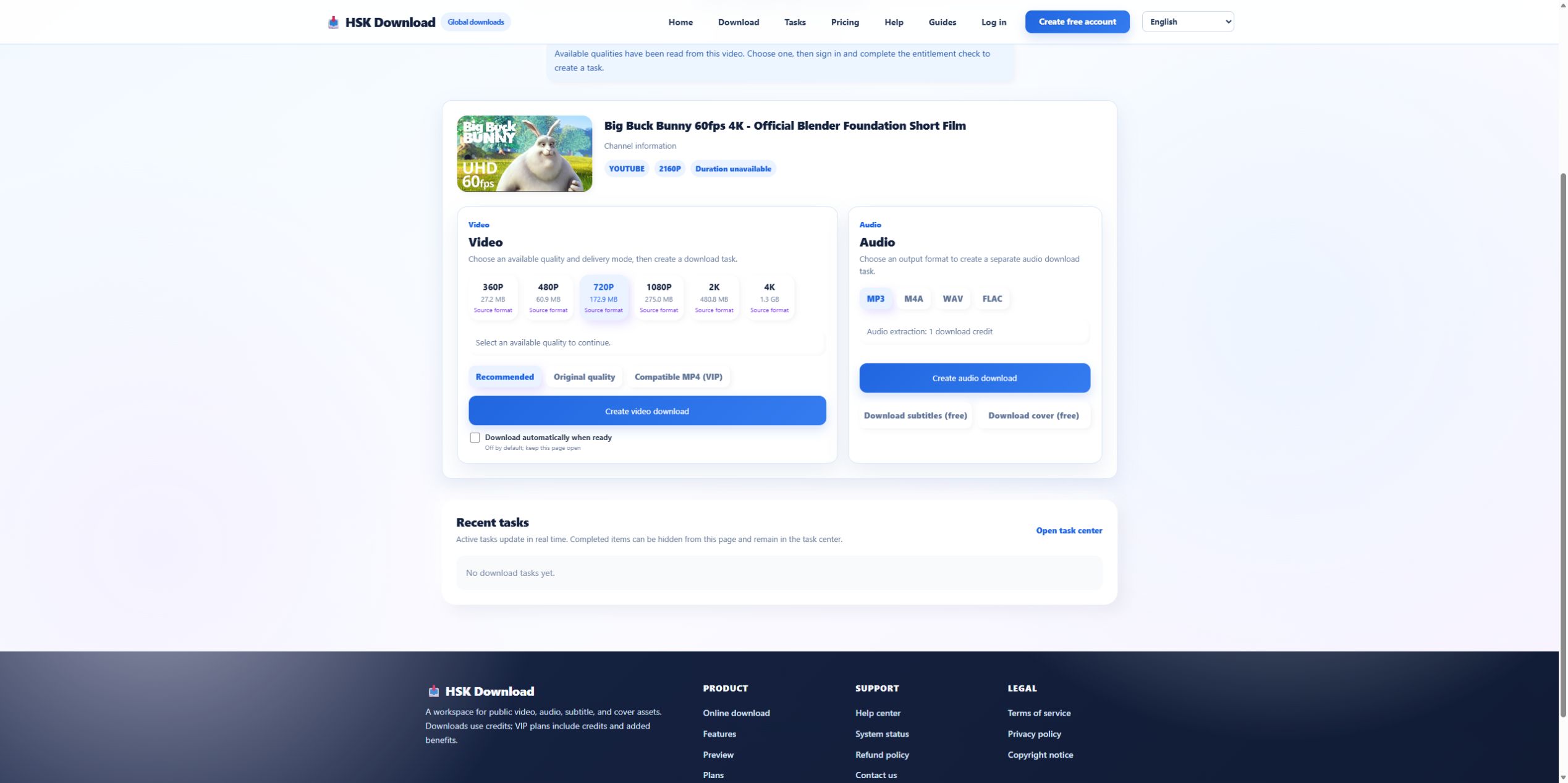
The result card identified the Blender title and displayed 2160p. It also displayed “Duration unavailable,” even though YouTube’s player showed 10:34. That mismatch is useful evidence: one missing metadata field did not prevent the page from discovering assets, but it warns against treating every label as complete. Confirm the title and thumbnail first; if either points to a different video, stop rather than converting the wrong source.
Choose among MP3, M4A, WAV, and FLAC for a reason
The live result exposed four audio choices: MP3, M4A, WAV, FLAC. MP3 is the practical choice when wide player compatibility and smaller files matter. M4A can preserve the source audio path with less unnecessary conversion in compatible players. WAV is useful for editing workflows that require uncompressed output, but it cannot restore detail missing from the source. FLAC provides lossless storage of the converted result, not proof that the original stream was lossless. Select the format that matches the next application, not the most impressive label.
Do not invent a bitrate the page did not show
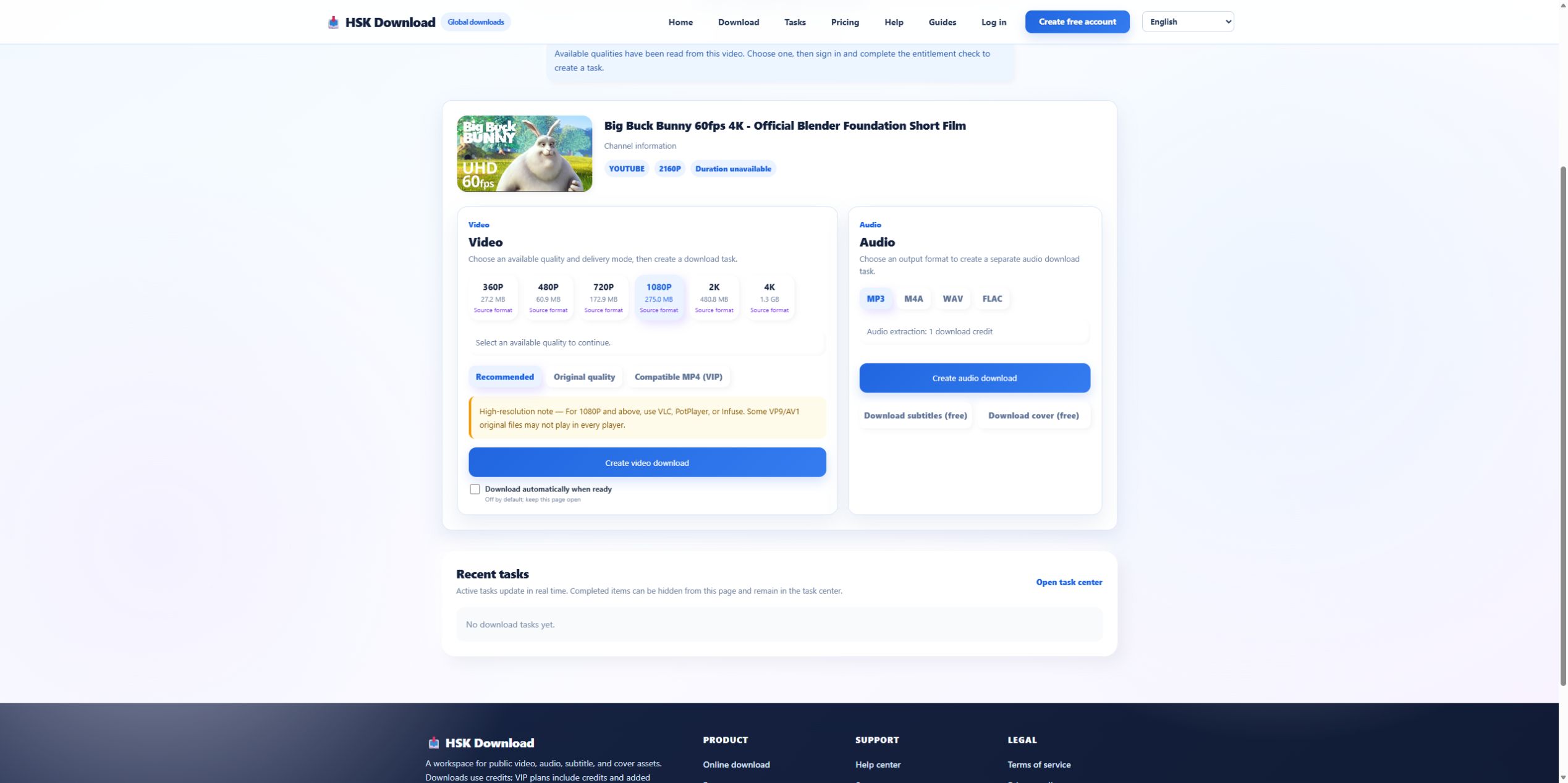
This analysis screen did not expose an MP3 bitrate selector. Therefore a responsible guide should not promise 320 kbps, “studio quality,” or a specific file size from this screen. The correct next step is to create the authorized task, then inspect the delivered file with the operating system or a media-information tool. If bitrate is essential to your workflow, record the actual value after delivery instead of inferring it from the search query.
Use a four-stage checkpoint instead of repeated clicks
A reliable youtube to mp3 workflow has four checkpoints:
- Source: title, thumbnail, availability, and permission match the intended video.
- Options: an audio panel appears and the required format is actually listed.
- Task: sign-in, entitlement, and credit checks complete without an error.
- File: the browser receives a playable file with the expected extension and duration.
If a checkpoint fails, return only one stage. Re-submitting the same URL cannot repair an account entitlement problem or a player that does not support the delivered codec.
Verify the file without relying on its name
After an authorized task completes, compare the file duration with the expected 10:34, open it in two players, and inspect its format metadata. Listen near the beginning, middle, and end for truncation or long silence. A filename ending in .mp3 is not enough: it may still be incomplete, mislabeled, or inaccessible to the intended editor. Keep the source URL, test date, selected format, and observed result together so another person can reproduce the check.
Know when MP3 is the wrong objective
Use video rather than MP3 when visuals carry instructions, attribution, captions, or context. Prefer captions when the real need is searchable text. For archiving, retain the highest-quality authorized source instead of repeatedly converting an already compressed audio track. When the source is private, restricted, removed, or outside your rights, stop. If the source and use are permitted, continue on the English download page and treat the available options—not the keyword—as the limit.