The safest diagnosis happens before submission
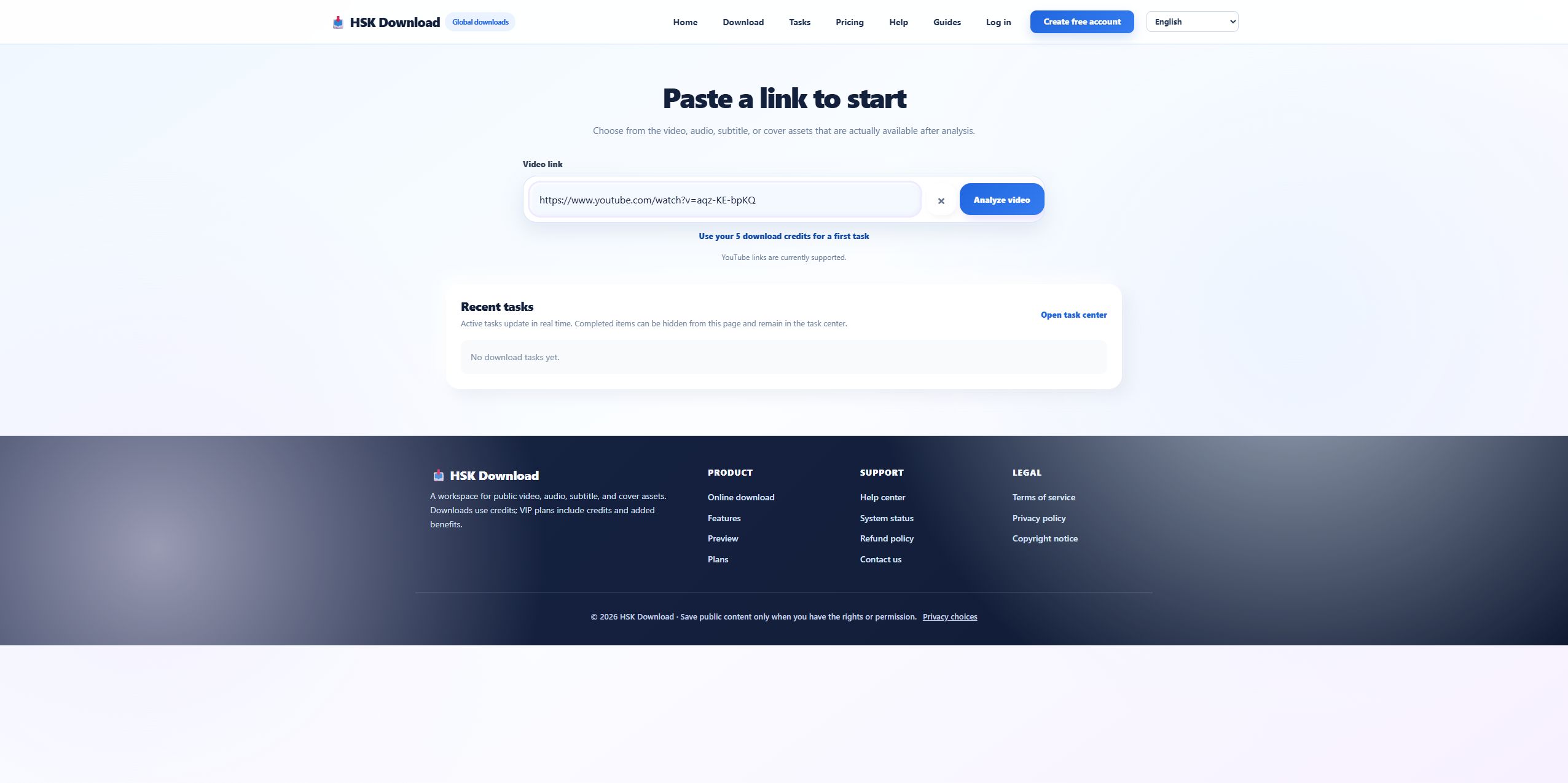
A youtube downloader can fail without a technical error: the page may be designed to collect clicks, send users through unrelated redirects, or request information it does not need. Before pasting anything, confirm the domain, HTTPS connection, page purpose, privacy link, copyright guidance, and visible input label. For the 2026-07-29 control, the English HSK page identified the field as a video link and stated that options would depend on analysis.
Red flag: multiple download buttons lead to different domains
A legitimate workflow should make the next action predictable. If several visually identical buttons open advertisements, extensions, notification prompts, or foreign domains, stop. Do not grant browser notification, clipboard, location, or extension permissions merely to analyze a public URL. The downloader needs the source link; it does not need your password, session cookie, payment card, or a copy of browser history.
Red flag: every source supposedly offers the same formats
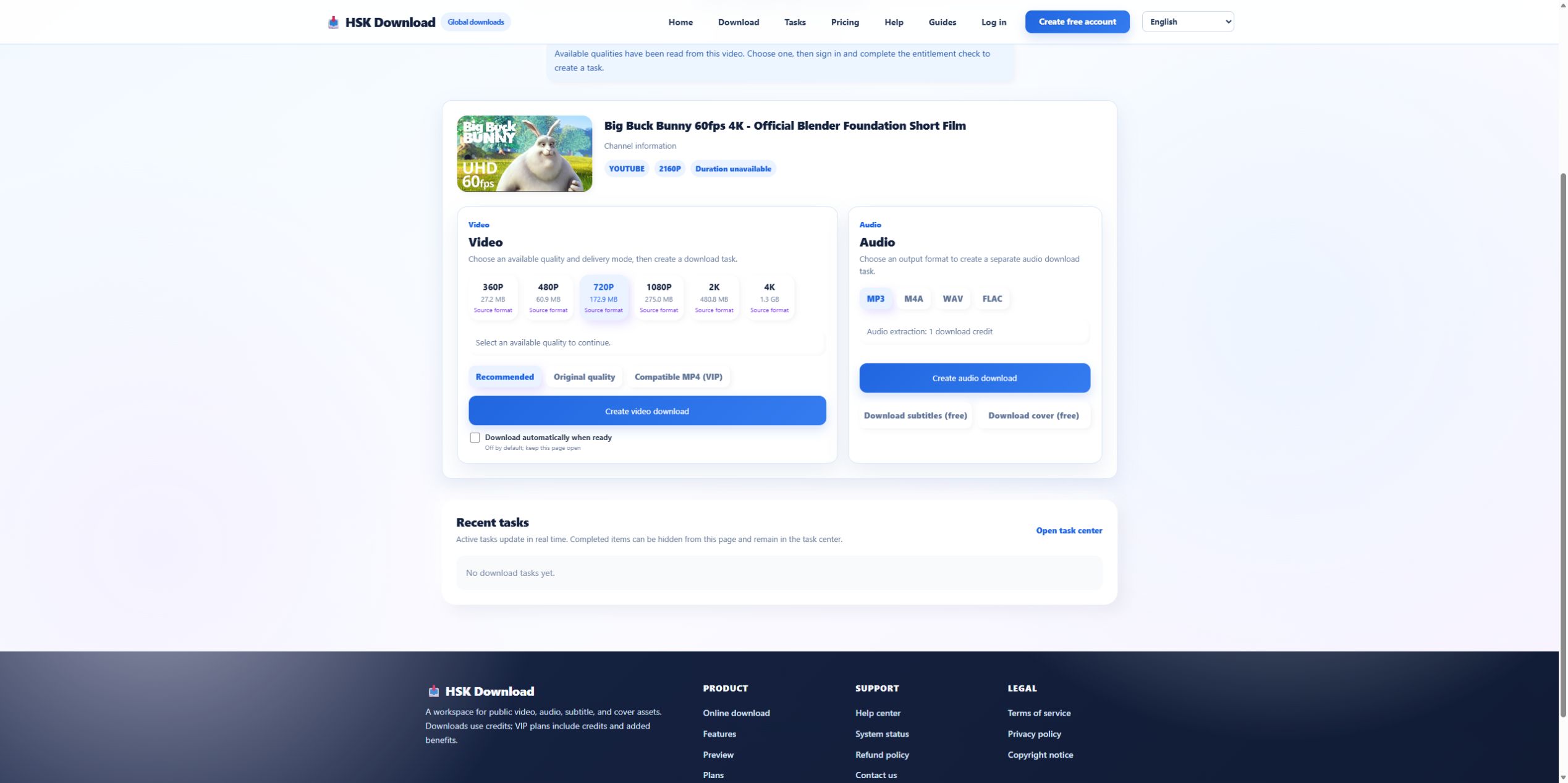
In the control run, the options were tied to one Blender video: six video qualities and four audio formats. A page that promises 4K, lossless audio, subtitles, and thumbnails for every URL before analysis is not showing source evidence. It may still produce something, but the claim is unverified. Check whether title, thumbnail, resolution list, and size estimates respond to the actual source.
Red flag: quality language exceeds the visible evidence
The control displayed MP3, M4A, WAV, and FLAC, but no bitrate selector. Therefore “320 kbps guaranteed” would be unsupported by this screen. Likewise, a WAV or FLAC label does not turn compressed source audio into a studio master. Prefer products and guides that state what was observed, identify what remains unknown, and tell the user how to inspect the final file.
Red flag: account or payment appears only after misleading promises
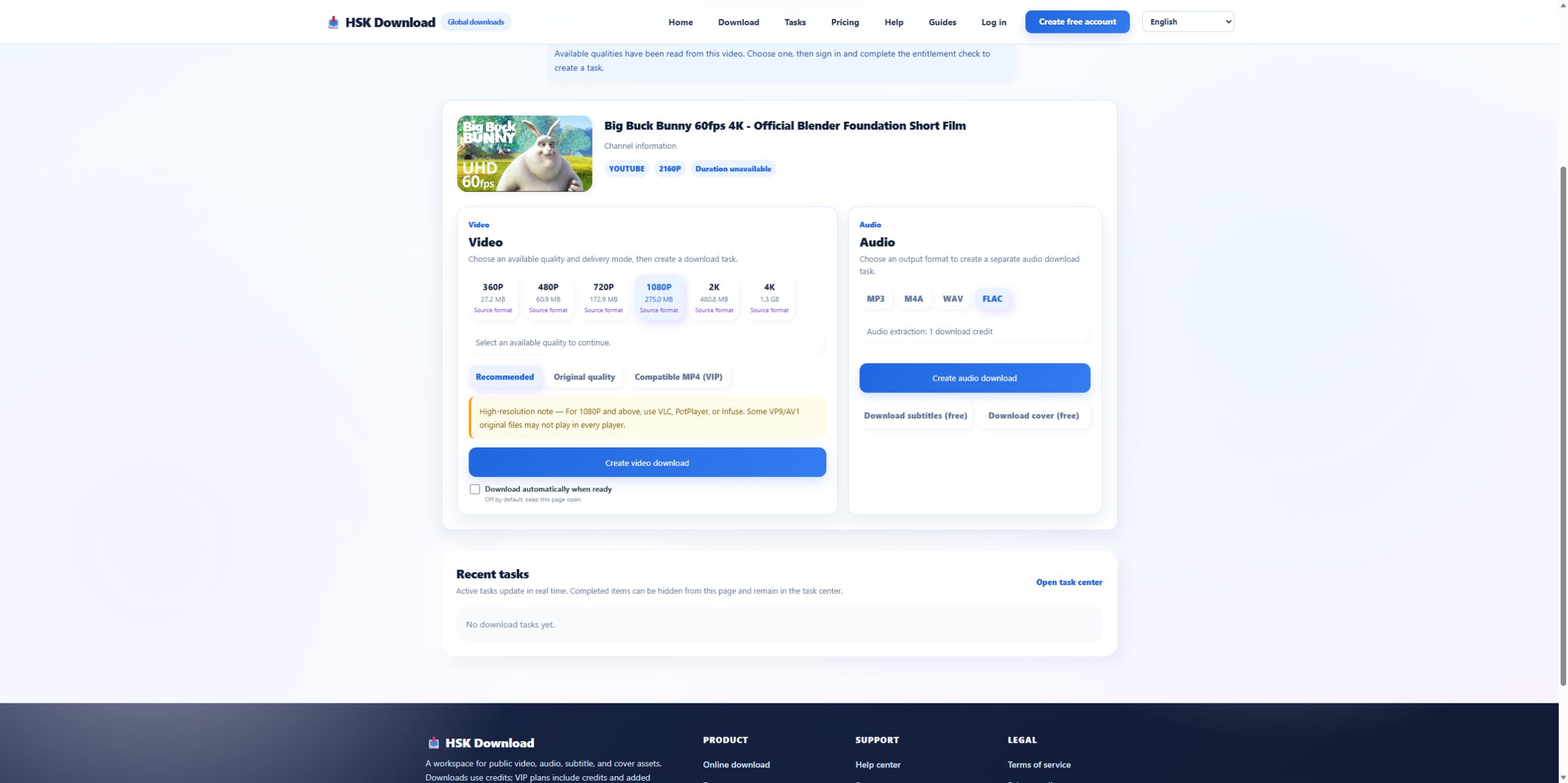
Paid features are not inherently unsafe, but the boundary should be visible. HSK displayed Compatible MP4 as VIP and stated that sign-in plus entitlement checking would occur before creating a task. If a page claims “free” and then requires unexpected payment data, installs software, or redirects to a subscription with no clear price, close it. Do not enter payment details merely to discover whether the source is supported.
Red flag: no task state or support trail
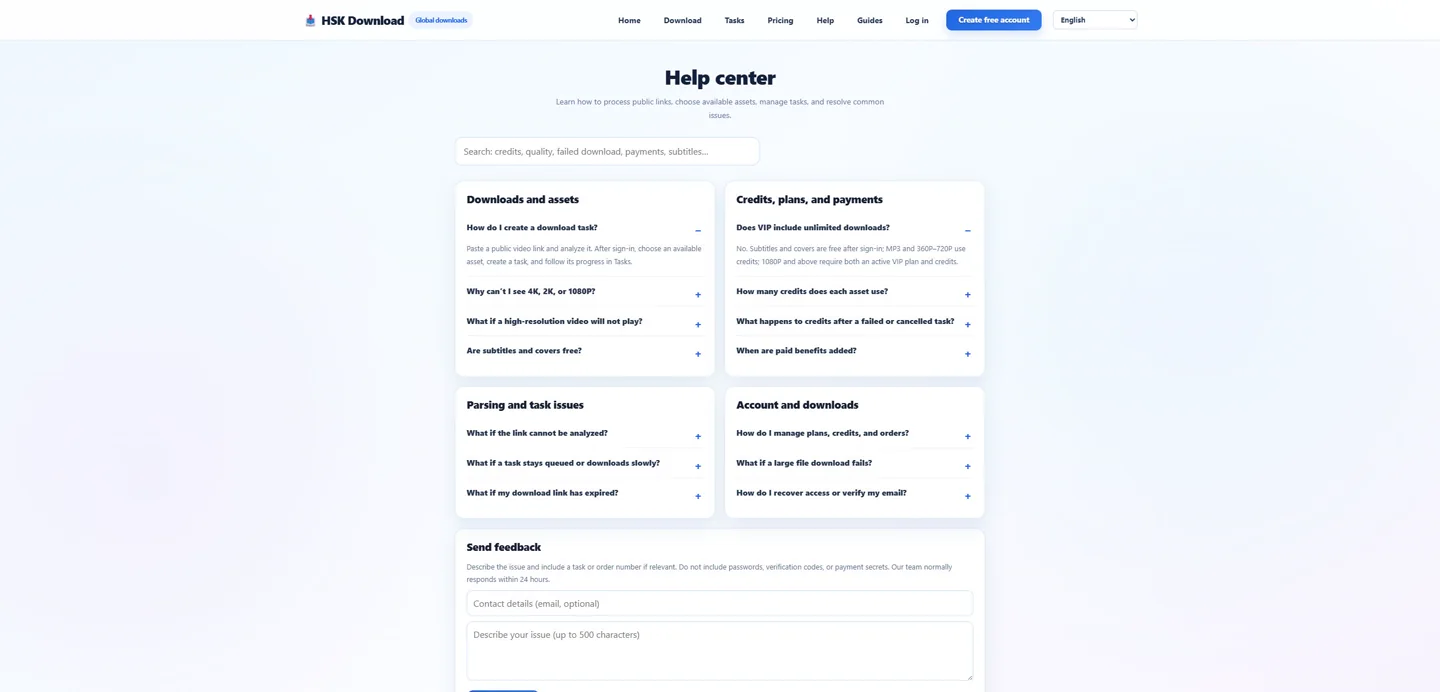
Once work begins, users need a stable task identifier or status such as queued, processing, complete, or failed. A spinner that disappears without a record makes it impossible to tell conversion failure from browser delivery failure. Check whether the service has a task centre, status page, help page, and contact channel. Save non-sensitive evidence before refreshing an unexplained state.
Protect private and restricted sources
Do not test an unknown downloader with private links, paid-course URLs, cloud-share tokens, unlisted client material, or anything containing personal query parameters. Use a harmless licensed control first. Even on a trusted service, process only material you own or are authorized to save. Rights and privacy are separate: permission to download does not authorize sharing a confidential link with another service.
A 60-second safety decision
Before use, answer five questions: Is the domain correct? Does the page request only the public source URL? Are source-specific options shown after analysis? Are account and paid boundaries explicit? Is there a support and privacy trail? If any answer is no, stop and compare with a known control. The English download page and help centre provide the HSK reference points used in this review.
Evidence ledger for “YouTube Downloader Safety Check: Red Flags Before You Paste a Link”
Evidence date: 2026-07-29. Control source: Big Buck Bunny 60fps 4K - Official Blender Foundation Short Film from the official Blender channel (10:34 in the YouTube player). The live analysis exposed 6 video resolutions, 4 audio formats, subtitles and cover, then required sign-in and an entitlement check before task creation. This ledger states exactly which observations support undefined and prevents the article from implying that a completed file was produced when the run stopped at the documented account boundary.