Treat resolution as a use-case decision
The best youtube video download setting is not automatically the largest number. On 2026-07-29, the official Blender control video ran 10:34 and exposed 360P through 4K. The visible estimates provide a useful decision model: choose enough detail for the target screen and editing need, while leaving room for browser temporary data and the final file.

The measured ladder for this 10-minute source
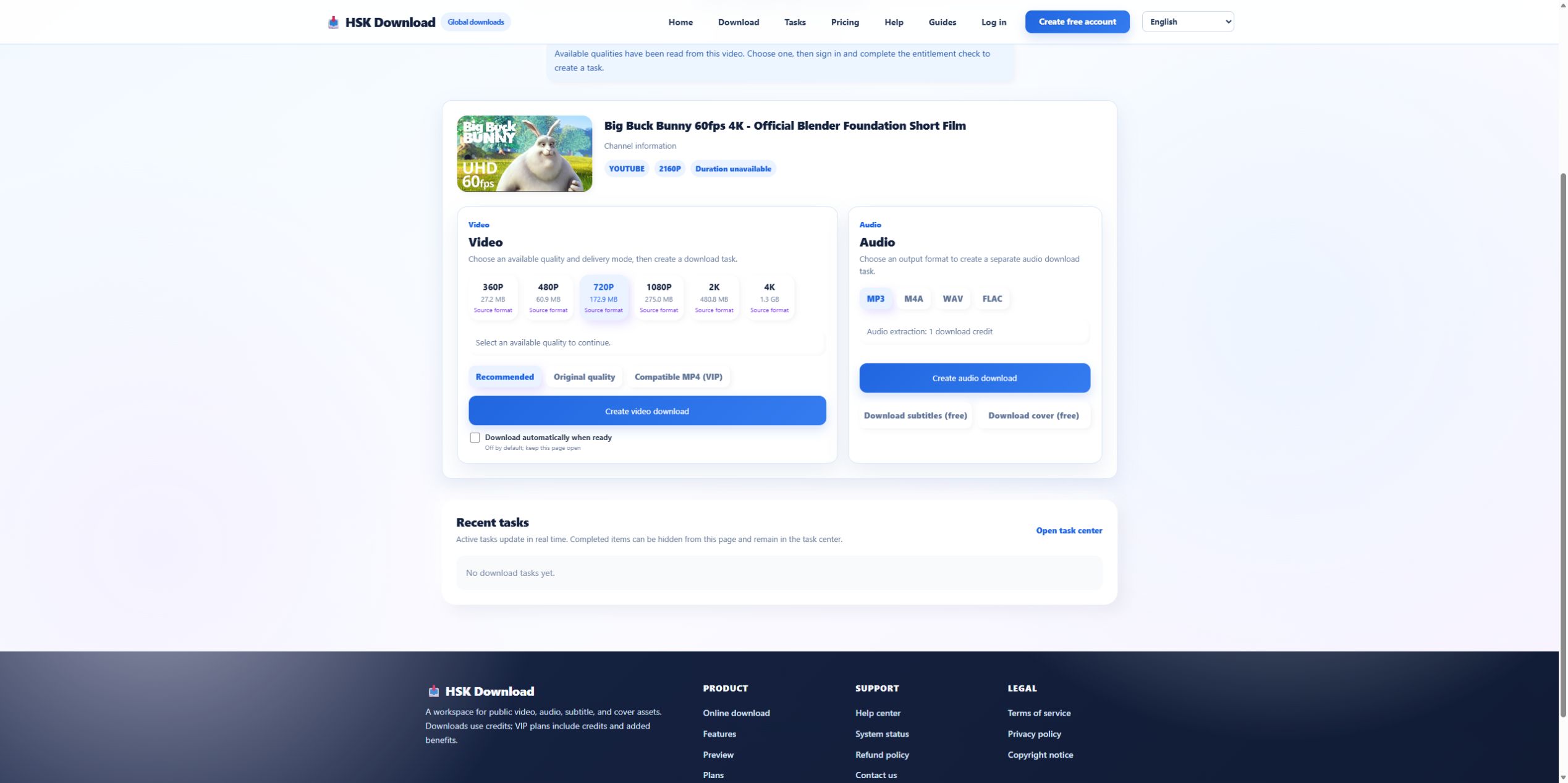
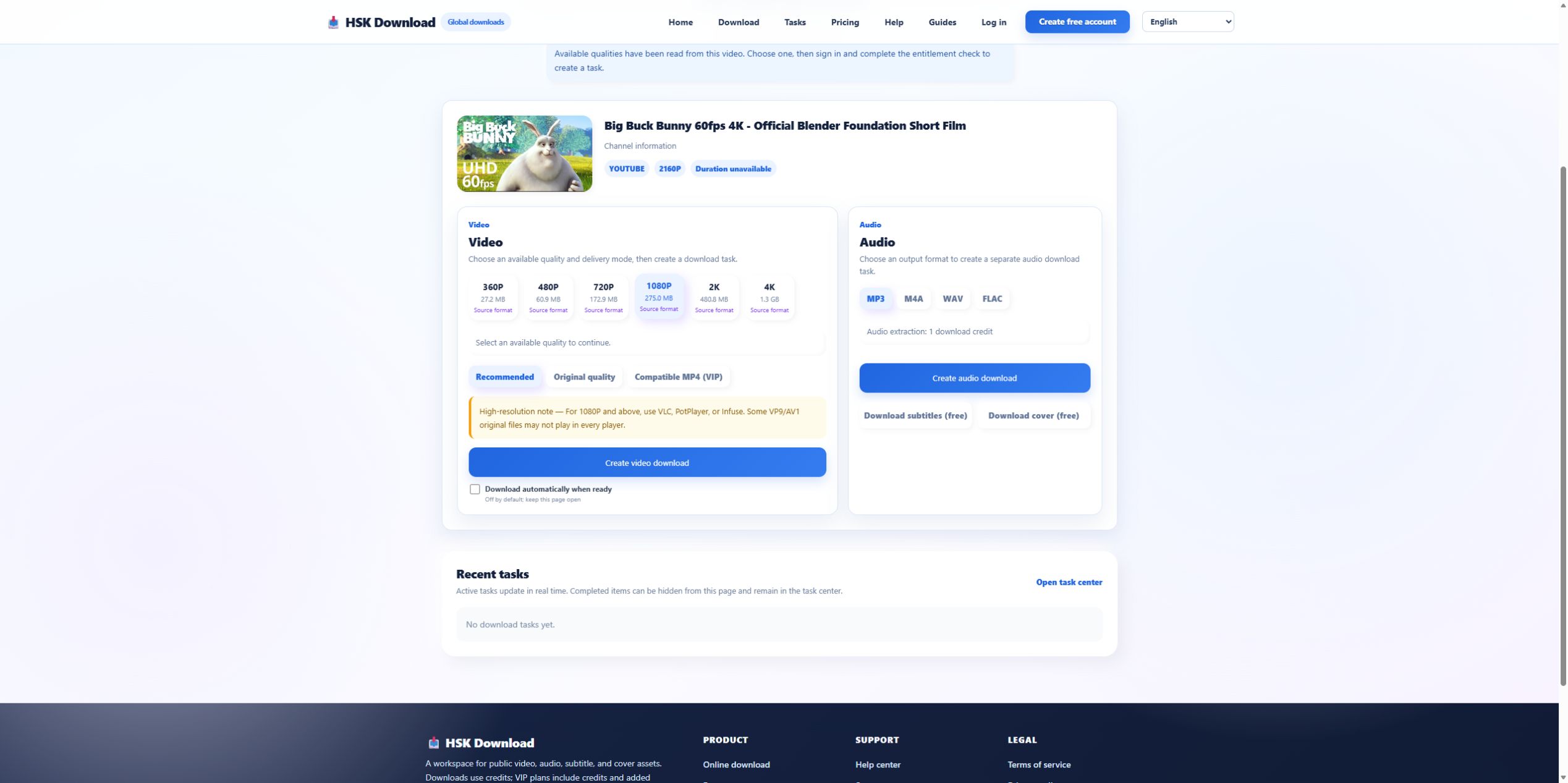
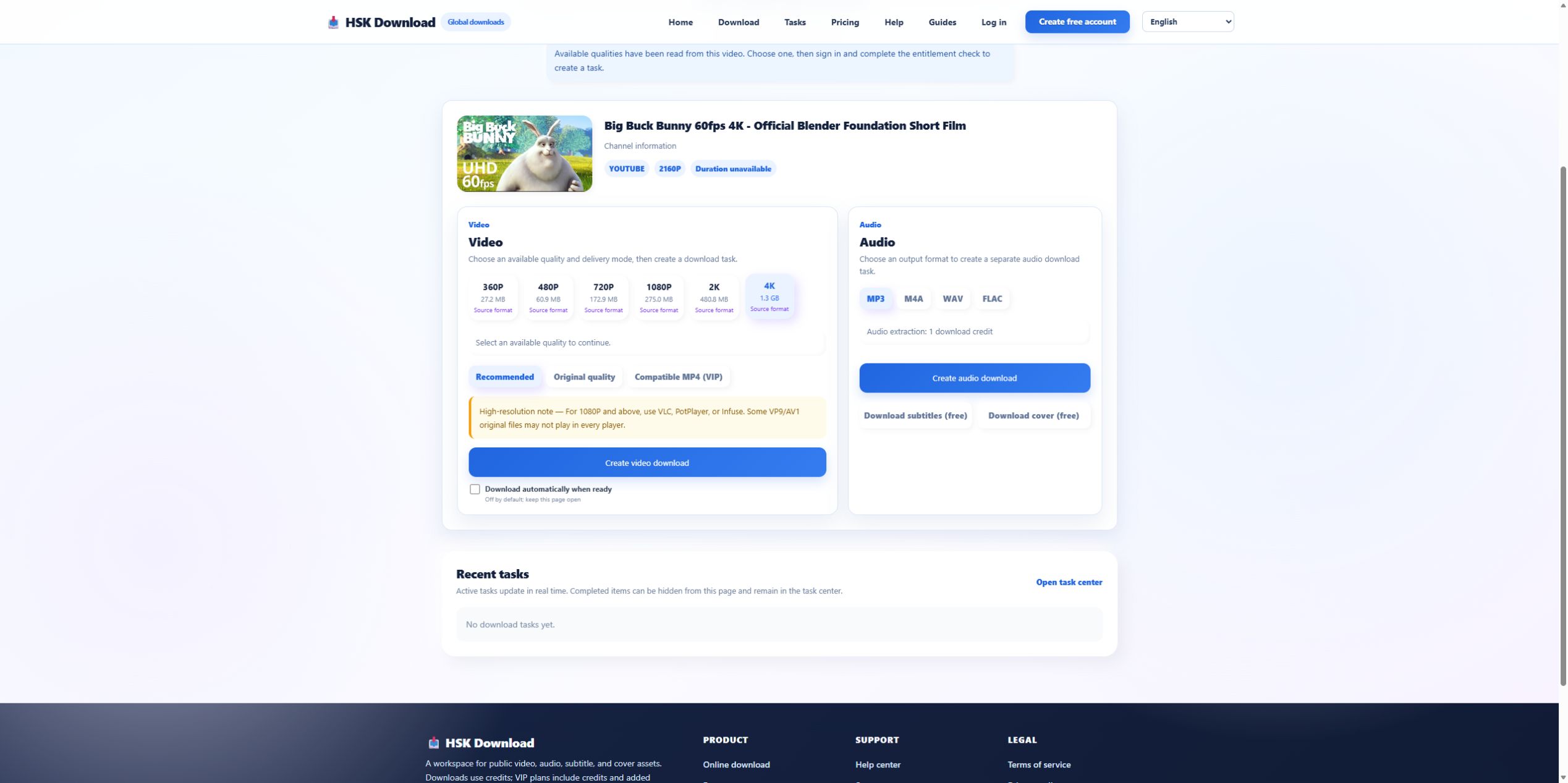
The live page showed 720P at 172.9 MB, 1080P at 275.0 MB, 2K at 480.8 MB, and 4K at 1.3 GB. The jump from 720P to 1080P was about 102.1 MB. Moving from 1080P to 2K added about 205.8 MB. Moving from 2K to 4K added roughly 819 MB. These are source-specific planning values, not a universal size chart.
Choose 720P for constrained storage and smaller screens
720P is a sensible baseline for quick reference, older displays, messaging workflows, and devices with limited free space. It used about 63% of the displayed 1080P estimate in this test. That saving matters when the browser keeps a temporary copy or when the file must travel over a metered connection. Do not choose it for detailed cropping or a large presentation screen unless you have checked the result.
Choose 1080P as a balanced desktop baseline
1080P offers more detail while staying far below the control’s 4K estimate. It is often the practical choice for a modern laptop or television when the source genuinely provides it. Select 1080P, note the delivery mode, and reserve more than the displayed 275.0 MB. The estimate does not include every temporary or filesystem overhead condition.
Use 2K or 4K only when the extra pixels have a job
Higher resolution is justified for a large high-density display, authorized editing, detail inspection, or archival use where the source and license support it. The control’s 4K estimate was 1.3 GB—almost five times its 1080P estimate. If the file will be watched on a phone, converted again, or deleted after one viewing, that cost may add no visible value.
Pair resolution with the right delivery mode
Recommended, Original quality, and Compatible MP4 describe different delivery priorities. Original may retain a codec that an editing app or television does not decode. Compatible MP4 is intended for broader playback and was marked VIP in this interface. If compatibility matters more than retaining the source representation, choose accordingly and record the decision with the resolution.
Verify four properties after delivery
Check actual pixel dimensions, runtime, file size, and playback. The expected runtime for the control is 10:34; a much shorter file suggests truncation. Test audio and motion at several points rather than only the first frame. For editing, import a copy before deleting the source. A filename containing “1080p” is not a substitute for inspecting the file properties.
Run the same decision on your authorized source
Confirm the source owner or license, analyze the canonical URL, and use only the qualities that appear. Compare each estimate with the real destination and intended display. Open the English download page when the rights and storage checks are complete. If the required quality is absent, do not upscale a smaller file and describe it as source quality. Keep the analysis screenshot beside the final file properties; together they show whether a later discrepancy began at selection, processing, delivery, or playback.
Evidence ledger for “YouTube Video Download: Choosing 720P, 1080P, 2K, or 4K from Real Size Data”
Evidence date: 2026-07-29. Control source: Big Buck Bunny 60fps 4K - Official Blender Foundation Short Film from the official Blender channel (10:34 in the YouTube player). The live analysis exposed 6 video resolutions, 4 audio formats, subtitles and cover, then required sign-in and an entitlement check before task creation. This ledger states exactly which observations support undefined and prevents the article from implying that a completed file was produced when the run stopped at the documented account boundary.