First determine whether the quality ever existed
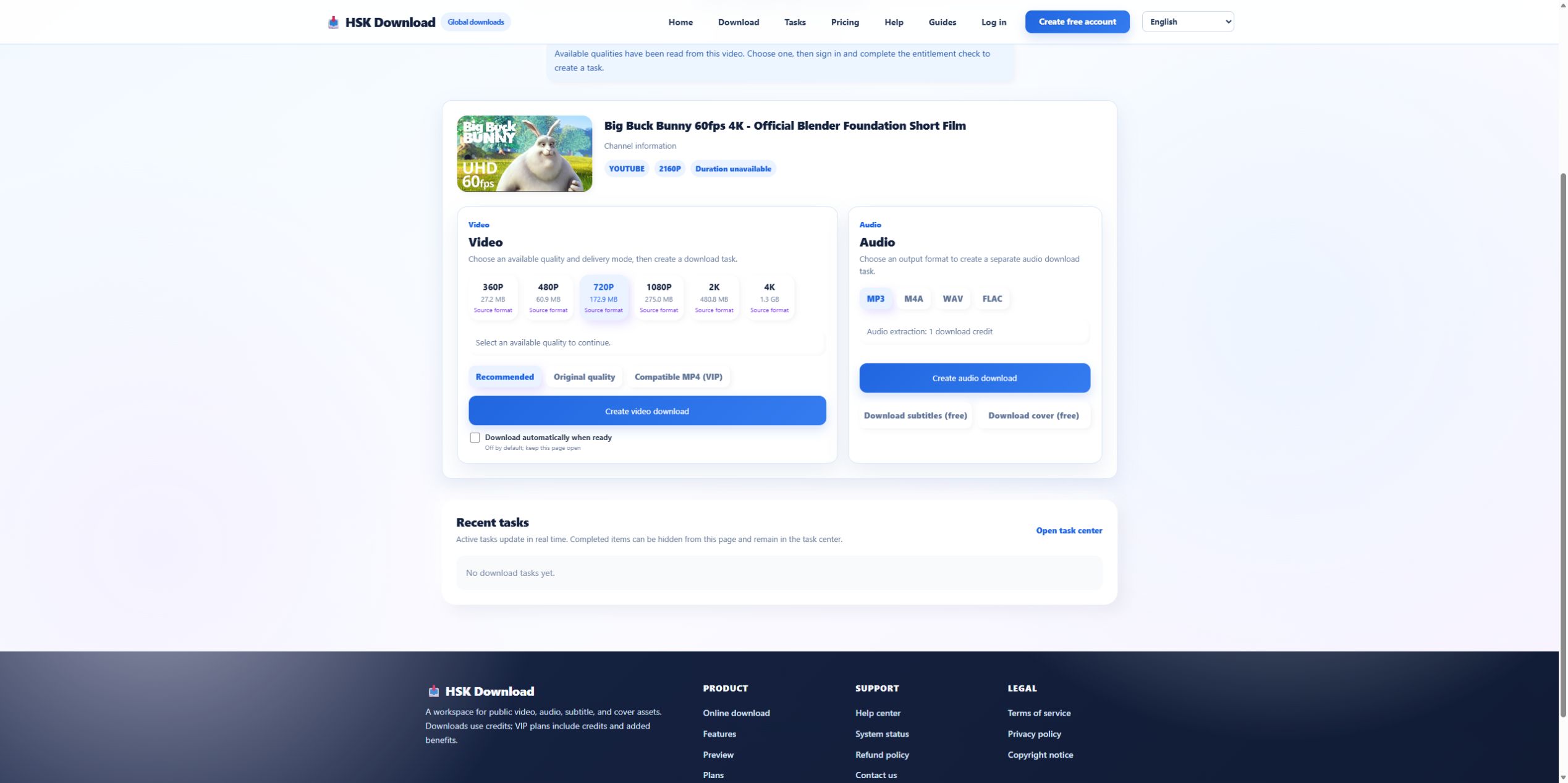
When a youtube video download result lacks 1080P or 4K, open the authorized source and inspect its own quality menu. A downloader cannot preserve a representation the source does not expose. Our 2026-07-29 control used an official Blender upload that identified itself as 2160p; the live analysis then returned six resolutions through 4K. That control confirms the workflow, not a guarantee for every URL.

Check whether the source is still processing
A recent upload can publish lower resolutions before higher-resolution processing finishes. Live events can expose a different asset set during and after the broadcast. If the source owner has just uploaded or edited the video, record the time and retry later once. Repeated requests during the same processing state do not create the missing representation.
Compare the returned option list, not the page headline
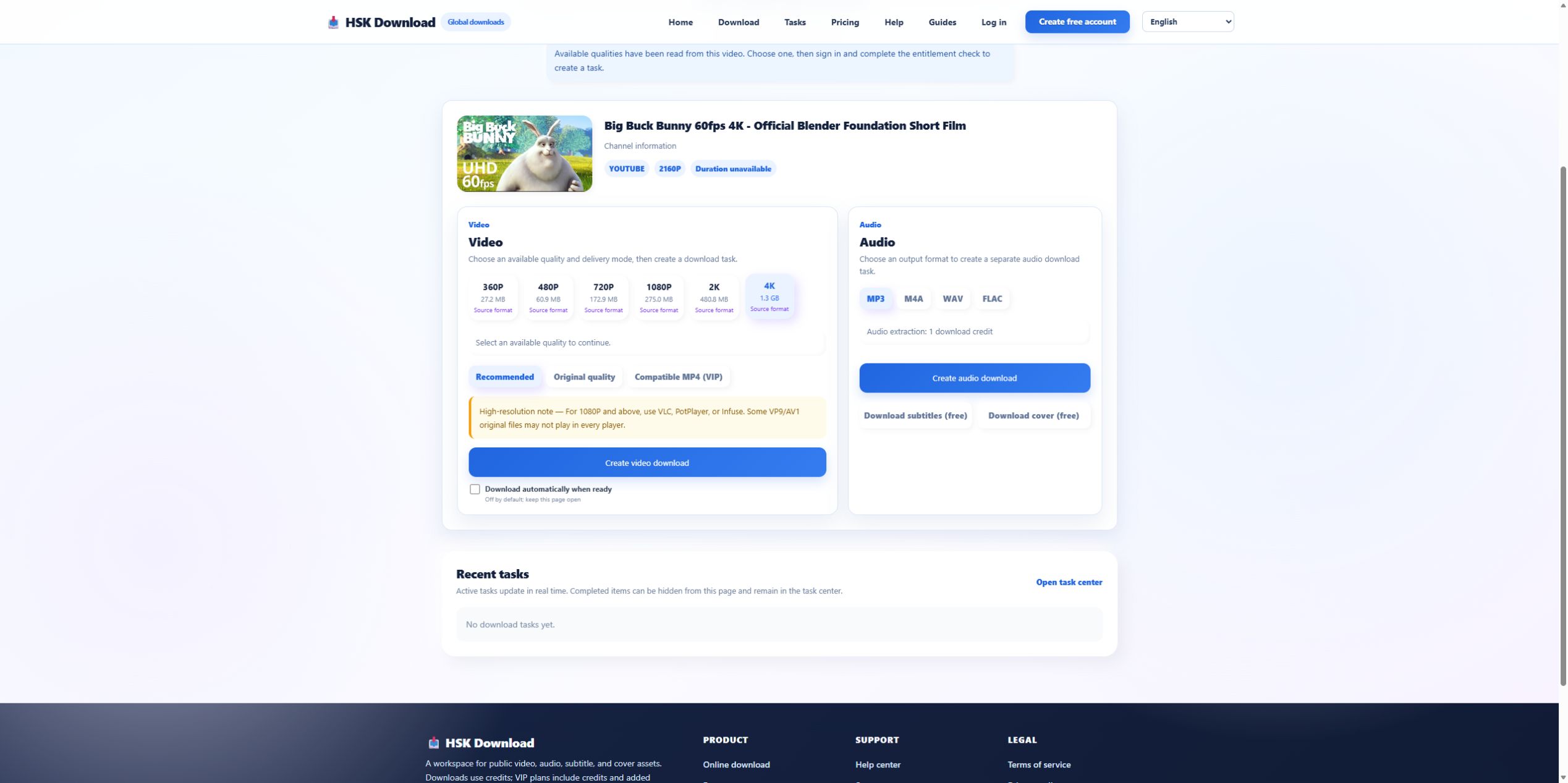
For the control, the actual list was 360P, 480P, 720P, 1080P, 2K, and 4K. If your target list stops at 720P, capture that panel. The evidence tells support exactly what analysis discovered. A generic “supports 4K” statement on a marketing page does not prove that the target source supplied 4K at the time of analysis.
Separate resolution from container compatibility
A 4K representation may use a codec that an older editor or television cannot decode. Conversely, an MP4 filename can contain video that a specific device does not support. The HSK interface separated Original quality from Compatible MP4 (VIP), making compatibility a separate decision. If the file exists but playback fails, inspect codec and profile before requesting a different resolution.
Investigate an unexpectedly large file before retrying
The control estimate rose from 275.0 MB at 1080P to 1.3 GB at 4K. A large result can therefore be consistent with the selected source quality. Check the selected button, destination free space, and task record. If the wrong option was chosen, do not describe the output as corrupted. Choose a smaller authorized representation for the next task and keep the previous task evidence.
When 1080P is present but looks soft
Confirm actual pixel dimensions and examine whether the original upload was upscaled, heavily compressed, or captured at lower detail. Resolution counts pixels; it does not guarantee sharp optics, low compression, or readable text. Compare the downloaded frame with the source player at the same timestamp. If both look soft, the downloader did not create the limitation.
When sound is missing from a high-resolution file
Some source representations separate video and audio. A delivery workflow may need to combine them, and a player may fail to decode the result even when the file is complete. Test a current second player, inspect the audio track, and compare Recommended with the compatibility-oriented delivery mode. Do not repeatedly download the same high-resolution asset without checking whether the issue is track support.
Escalate a minimal reproducible quality case
Provide the source title, analysis time, qualities shown, selected resolution, delivery mode, estimated and actual size, codec information, target device, and a non-sensitive screenshot. Re-run the permitted source once on the English download page. If the discrepancy remains, send that compact packet through the help centre rather than a vague request for “better quality.”
Evidence ledger for “YouTube Video Download Quality Missing: Diagnose Resolution, Codec, and Source State”
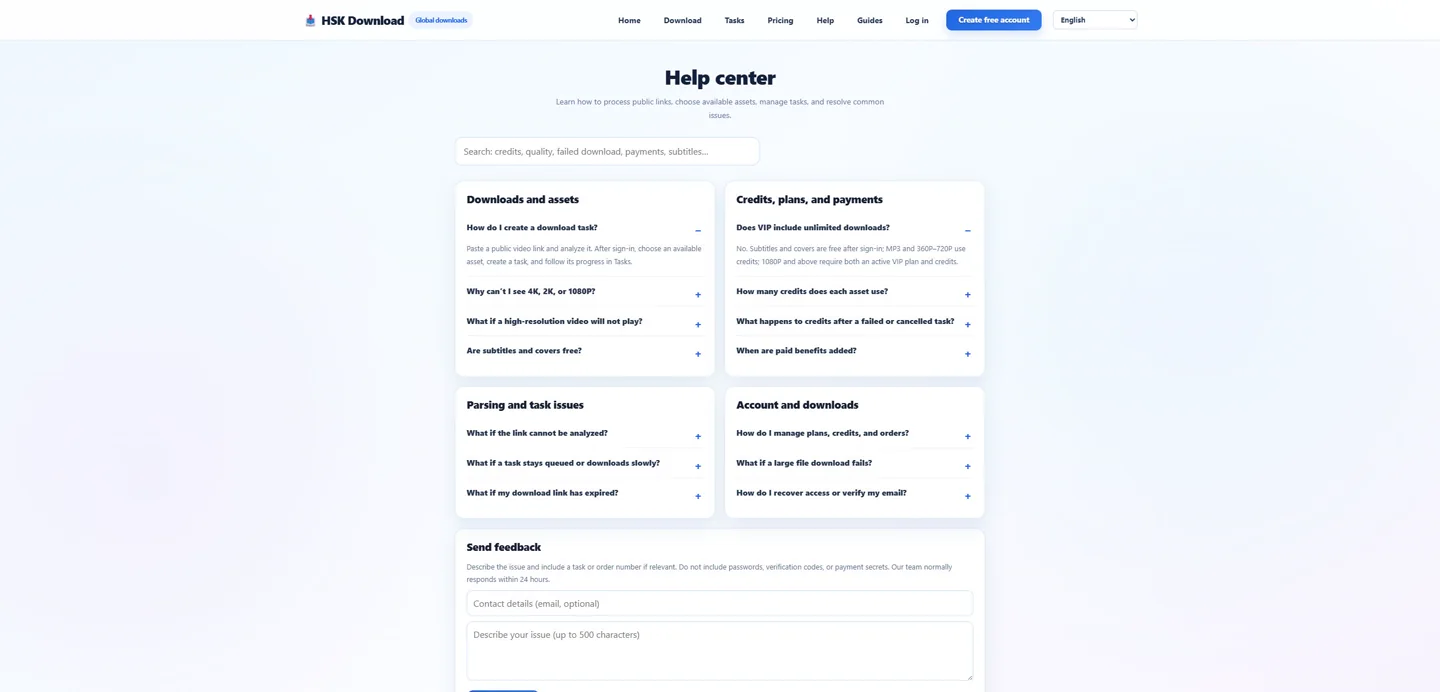
Evidence date: 2026-07-29. Control source: Big Buck Bunny 60fps 4K - Official Blender Foundation Short Film from the official Blender channel (10:34 in the YouTube player). The live analysis exposed 6 video resolutions, 4 audio formats, subtitles and cover, then required sign-in and an entitlement check before task creation. This ledger states exactly which observations support undefined and prevents the article from implying that a completed file was produced when the run stopped at the documented account boundary.