MP4 is a container, not a quality grade
The search youtube to mp4 combines three separate decisions: which source representation to use, which video and audio codecs the target device supports, and which container should carry them. MP4 is widely recognized, but an .mp4 filename can still hold a codec that an older television, editor, or browser cannot decode. Start with the playback target, then choose the delivery path.
The control source and what the live page exposed
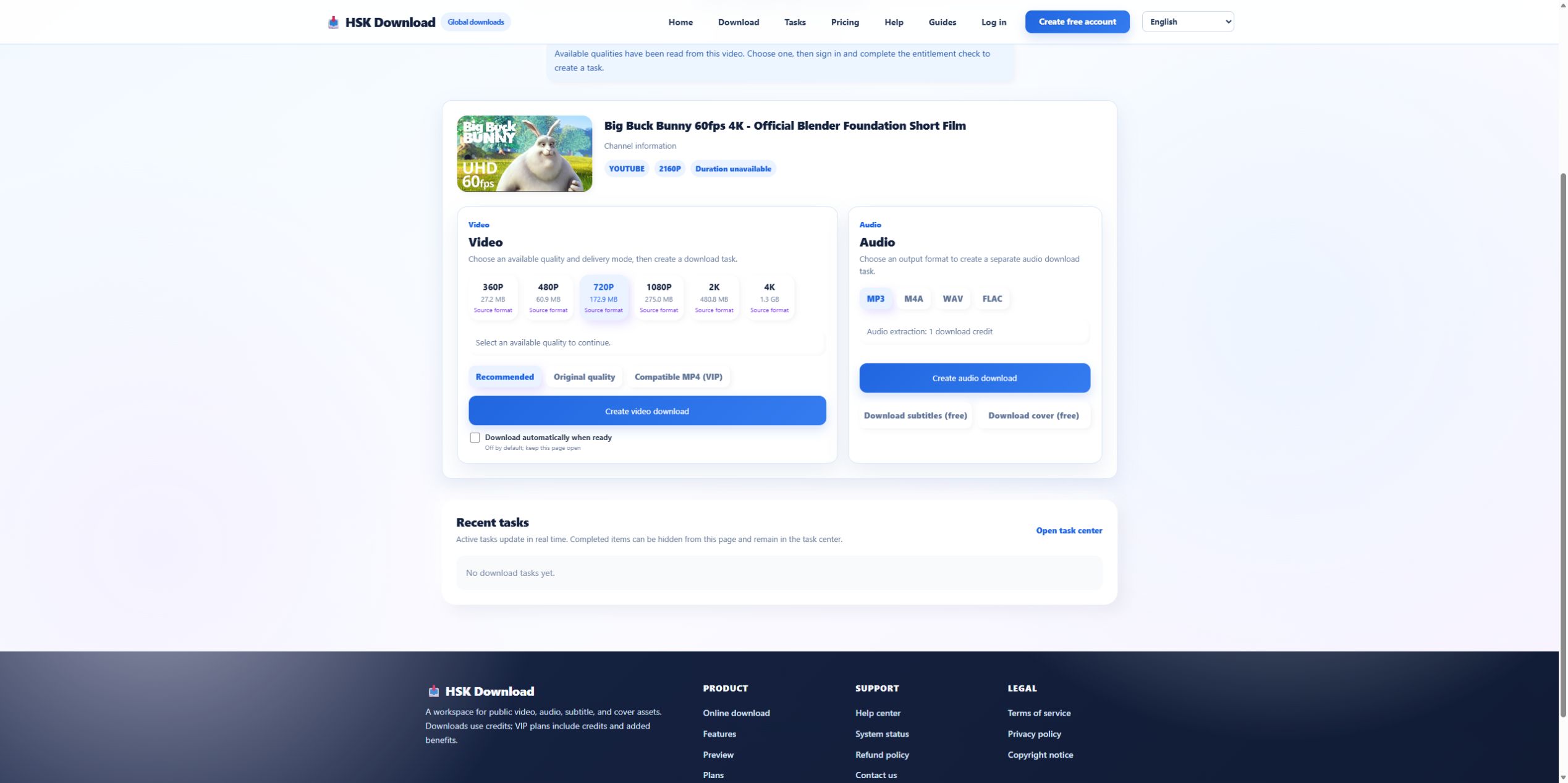
On 2026-07-29, we analyzed Blender’s official “Big Buck Bunny 60fps 4K - Official Blender Foundation Short Film.” The YouTube player showed 10:34; HSK Download returned the matching source and six video options: 360P, 480P, 720P, 1080P, 2K, 4K. This is a strong test because the source reaches 4K and makes the storage cost of a compatibility decision visible.
Choose the resolution before the container path
For this source, 720P was estimated at 172.9 MB, 1080P at 275.0 MB, 2K at 480.8 MB, and 4K at 1.3 GB. Select the smallest resolution that satisfies the intended screen and editing need. A compatible container cannot solve insufficient storage, and converting an unnecessarily large 4K file later adds time without improving the intended 1080P viewing experience.
Understand Recommended, Original, and Compatible MP4
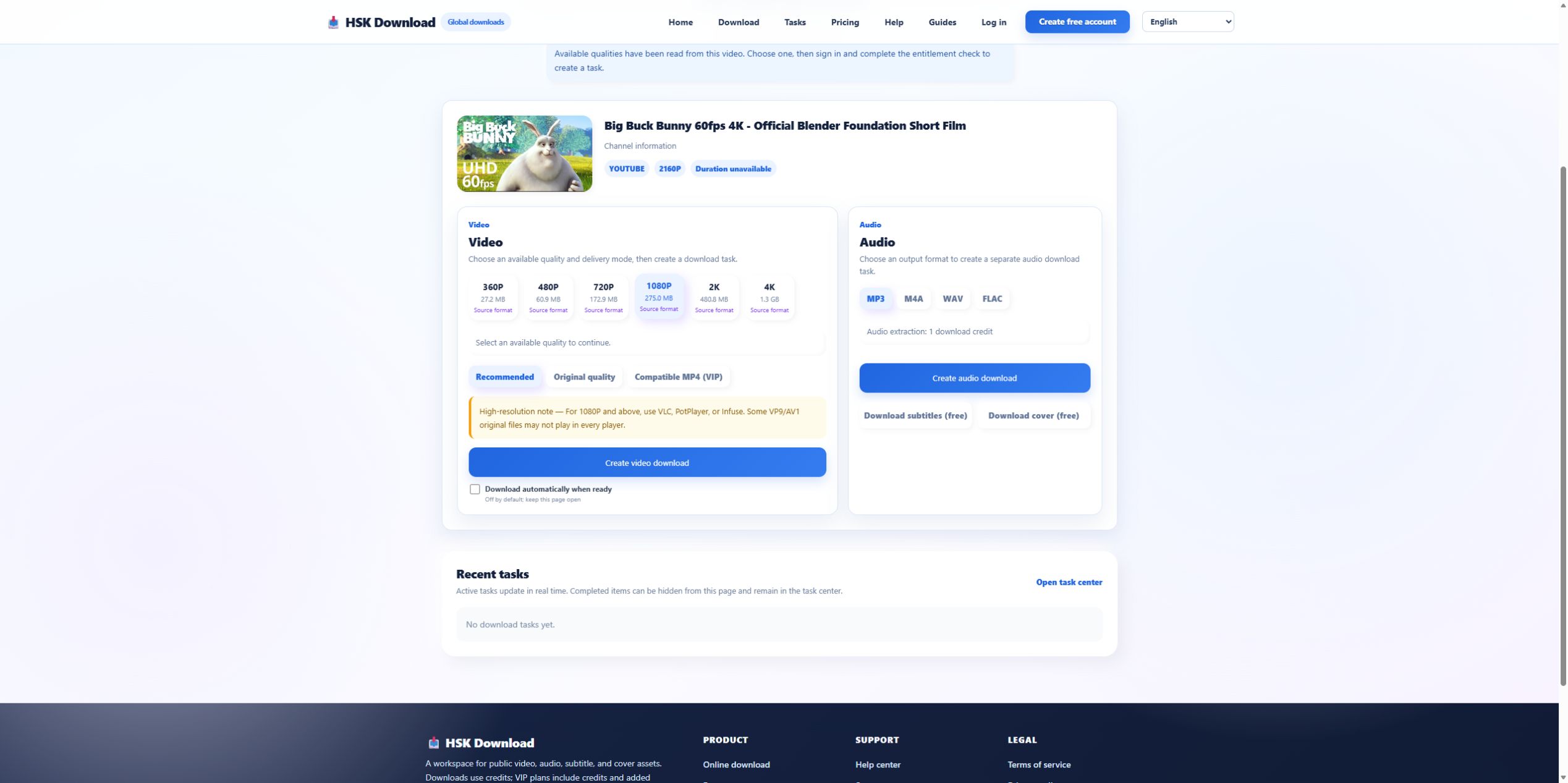
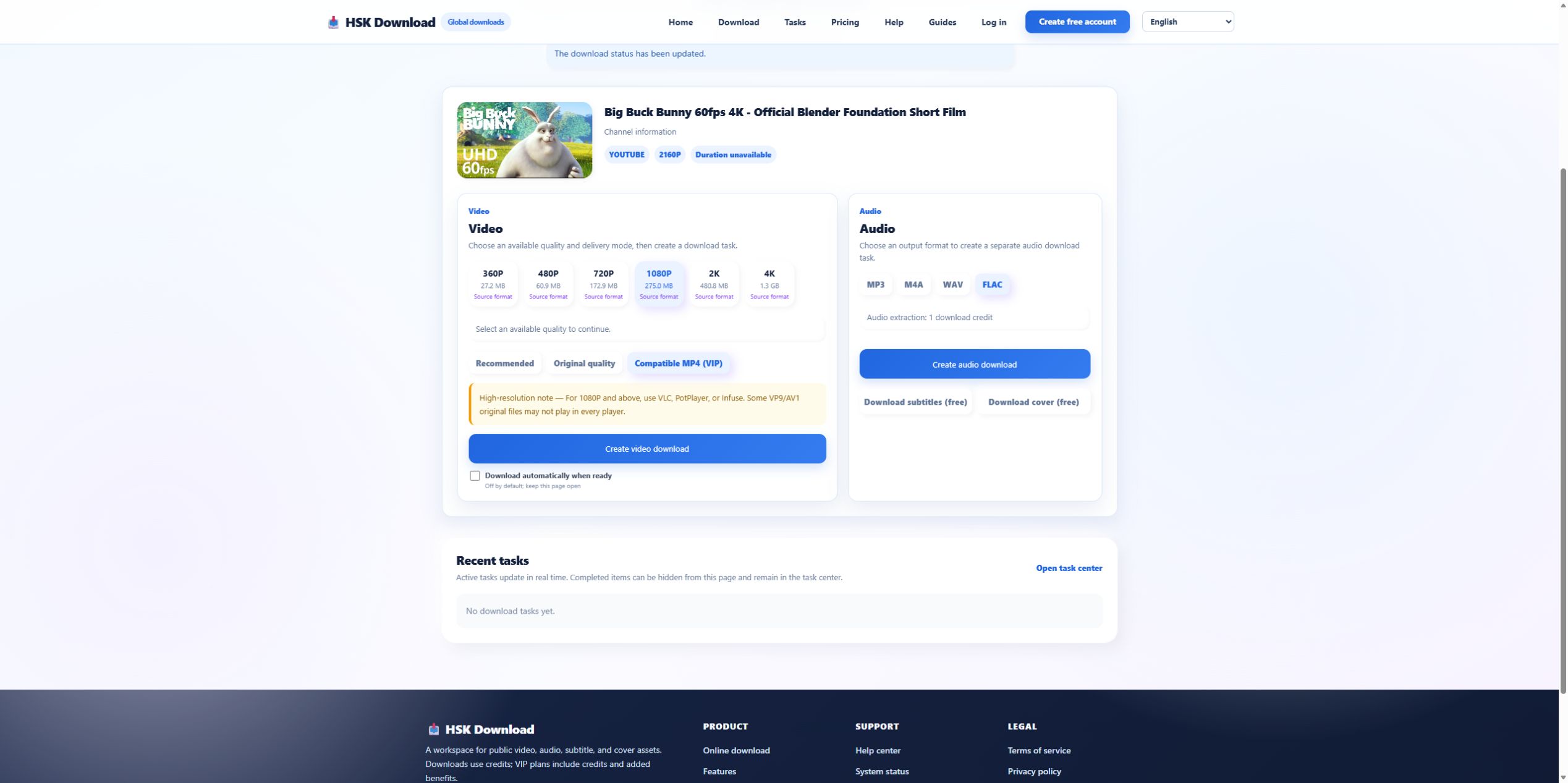
Recommended is the default decision when there is no special device constraint. Original quality prioritizes the source representation and may preserve a codec that some players reject. Compatible MP4, visibly marked VIP in this test, is the explicit compatibility-oriented mode. The names describe delivery intent; they do not waive the need to inspect the actual file after an authorized task completes.
Map the file to its destination before creating a task
Write down the destination device and application: iPhone Photos, Android Files, Windows media player, a television, presentation software, or an editor. Check free storage and supported codecs. For editing, ask whether the application prefers a particular frame rate or audio track. Choosing “MP4” alone does not answer those questions. A compatibility mode can reduce risk, but the target app remains the final test.
Use a controlled creation sequence
Confirm permission, submit the canonical source URL, match title and thumbnail, select the resolution, select the delivery mode, and note the displayed estimate. Then complete sign-in and entitlement checks. The 2026-07-29 evidence run stopped at that boundary and therefore does not claim a delivered file. A transparent guide separates verified analysis from unmeasured conversion output.
Inspect the result beyond the .mp4 suffix
After delivery, verify duration, pixel dimensions, file size, video codec, audio codec, and playback in the target application. Compare the runtime with the source’s 10:34. Scrub near the middle and end to reveal truncation. If Original fails but Compatible MP4 plays, document the device and codec difference instead of concluding that one file is universally better.
Use MP4 responsibly
Do not process private, paid, restricted, or unauthorized media. A public URL is not a license. Preserve the owner’s permission or the applicable license with the file, especially if the video will be edited or redistributed. For an allowed source, start at the English download page and select MP4 compatibility because the destination needs it—not because the search phrase contains MP4.
Write a compatibility decision record
Before starting the task, record the target device, target application, chosen resolution, selected delivery mode, displayed size estimate, and available storage. After delivery, add the actual size, runtime, video codec, audio codec, and playback result. This small record turns “MP4 did not work” into a reproducible comparison and prevents a compatibility result from being mistaken for a claim that every MP4 uses the same codecs.
Evidence ledger for “YouTube to MP4: Choose Resolution, Container, and Compatibility with Real Evidence”
Evidence date: 2026-07-29. Control source: Big Buck Bunny 60fps 4K - Official Blender Foundation Short Film from the official Blender channel (10:34 in the YouTube player). The live analysis exposed 6 video resolutions, 4 audio formats, subtitles and cover, then required sign-in and an entitlement check before task creation. This ledger states exactly which observations support undefined and prevents the article from implying that a completed file was produced when the run stopped at the documented account boundary.