The best YouTube-to-MP3 quality setting is the lowest available option that sounds transparent for your authorised purpose on the device you will actually use. Start from the choices shown after link analysis, not from a number you hope will appear. For clear speech, a moderate available setting is usually the sensible first test. For music, pronunciation work, or sound-design examples, compare that setting with the next available one using the same demanding passage. Keep the higher file only if the difference is audible and useful.
The source sets the ceiling. A larger MP3 cannot restore frequencies removed by earlier compression, separate overlapping voices, remove room echo, or reconstruct a clipped microphone signal. Quality selection is therefore a decision about preserving what the authorised source still contains while balancing compatibility and storage.
Use this workflow only for a video you own, have explicit permission to use, that is in the public domain, or that you may otherwise process lawfully. Public visibility is not a grant of copying or redistribution rights. Respect copyright, licences, creator attribution, institutional rules, and platform terms. Do not attempt to bypass DRM, a paywall, account controls, private access, regional restrictions, or safety measures.
Understand what an MP3 quality label can and cannot tell you
MP3 is a lossy audio format: its encoder reduces data partly by discarding information that is less likely to be noticed. Bitrate describes approximately how much compressed audio data is stored per second. At the same duration, a higher bitrate normally means a larger file and may preserve more detail, but the label does not describe the whole listening result.
The source recording, its existing compression, the encoder, channel layout, playback device, listening environment, and content all matter. A spoken tutorial recorded cleanly with one microphone has different needs from dense music with cymbals, ambience, and stereo movement. Two files carrying different numbers may sound identical on a phone speaker yet differ through good headphones.
Treat the displayed option as a candidate for testing, not a guarantee. If the analysed result offers one MP3 choice, evaluate that choice. If it offers several audio qualities, compare only those real options. Renaming another extension to .mp3 does not convert it, and manually enlarging a file does not create missing detail.
Begin with the best authorised source
If you made the recording and retain an original WAV, AIFF, or other production master, export the MP3 from that master rather than from a compressed video copy. Every additional lossy conversion can introduce smearing, metallic edges, or less stable high-frequency detail. Keeping the original also makes later editing and a different export possible without repeating the entire capture.
When the only lawful source is an authorised public video, check it before analysis. Confirm the title, creator, duration, and permission scope. Listen near the start, at a busy or important section, and near the end. Note existing hiss, clipping, weak speech, missing channels, or abrupt cuts. Those observations establish a baseline: if a flaw is already present, an MP3 setting is not its cure.
Read the choices that analysis actually returns
Copy the complete public URL and open the HSK Download tool. After analysis, verify that any visible title, thumbnail, duration, and creator details match the intended source. Then inspect the available assets rather than assuming a particular bitrate, resolution, subtitle track, or cover will exist.
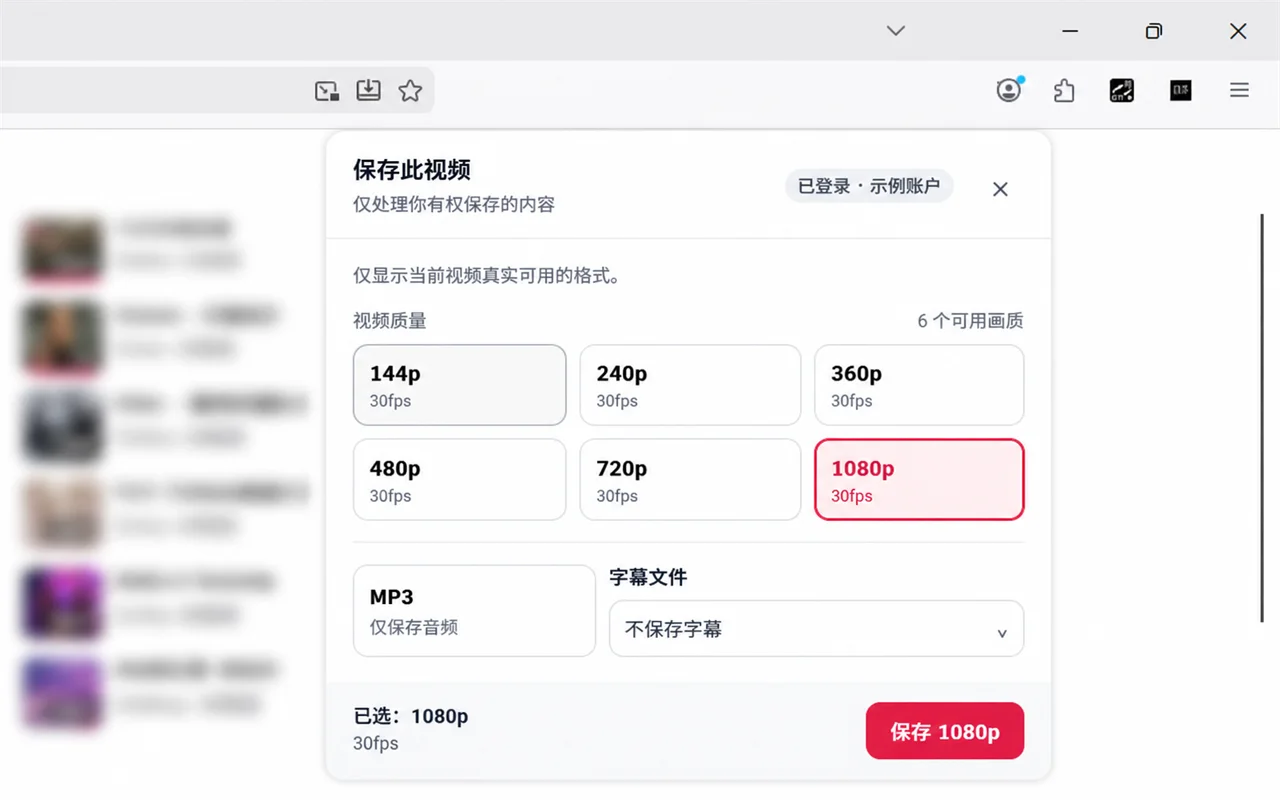
*The real extension selector shown here presents six video resolutions from 144p to 1080p at 30fps, an MP3 audio-only choice, and a subtitle control. It explicitly says that it displays formats actually available for the current video. The screenshot does not show multiple MP3 bitrates, so it should not be read as promising them.*
That distinction prevents a common mistake. Video resolution such as 1080p describes picture dimensions, not MP3 fidelity. Frame rate such as 30fps describes video motion, not audio quality. Select MP3 because you need audio only, and make any finer quality decision only from audio options that the result genuinely exposes.
Choose a starting point for speech
For lectures, interviews, meetings, and spoken notes, intelligibility matters more than preserving every high-frequency texture. Begin with a moderate available audio option. Test names, dates, numbers, quiet consonants, and a passage with background noise. These details reveal problems more reliably than an easy sentence spoken loudly.
Use the actual destination device. Phone speakers may hide compression artifacts but also make low speech hard to understand. Earbuds reveal sibilance and metallic edges. A car system adds road noise, while an editor may expose cuts or silence during waveform review. If the moderate candidate remains clear in the hardest real setting, a larger copy may add cost without practical value.
A higher setting does not fix a distant microphone, room reverberation, competing speakers, or clipped peaks. If speech is unclear in the source, keep the authorised video or master, look for an authorised transcript, or ask the creator for a better original.
Choose a starting point for music and critical listening
Music, language pronunciation, field recordings, and sound-design demonstrations can expose compression more easily. Cymbals, applause, sustained ambience, stereo reverberation, and dense mixes are useful test passages. Compare the moderate candidate with the next higher available option, matching playback volume and using the same 15–30 second section.
Do not decide while one file is louder. Even a small level difference can make the louder candidate seem better. Alternate several times and focus on specific evidence: cleaner transients, steadier ambience, more natural sibilants, or fewer swirling artifacts. If you cannot identify a repeatable benefit, keep the smaller file.
For editing, archiving, or publication, an MP3 derived from a distribution video may be the wrong source even at the highest displayed setting. Obtain an authorised production master when the project requires preservation quality or repeated processing.
Estimate file size before committing storage
File size grows with bitrate and duration. A useful decimal estimate is:
size in MB ≈ bitrate in kbps × duration in seconds ÷ 8 ÷ 1,000
Using that estimate, one hour is about 58 MB at 128 kbps, 86 MB at 192 kbps, 115 MB at 256 kbps, and 144 MB at 320 kbps. Tags and container overhead can change the final figure slightly. These examples explain the trade-off; they do not claim that every value is offered for every source.
Run a repeatable listening test
Name candidates clearly, keep volume constant, and choose three checkpoints: a quiet passage, the most complex passage, and the ending. Listen on the main destination device first, then on one revealing device such as good headphones. Check both channels if stereo is expected and seek to a later timestamp to ensure the file is complete.
Know when MP3 is the wrong answer
Keep an authorised video when meaning depends on slides, demonstrations, sign language, diagrams, embedded captions, or visual timing. Choose an authorised subtitle or transcript when search, quotation review, or accessibility is the primary need. Keep the original media when future editing, remastering, or evidentiary integrity matters.
Audio-only output is also a poor choice if you have not confirmed the rights. Format convenience never overrides a licence, attribution requirement, platform rule, or creator restriction. Permission for a personal study copy does not automatically permit sharing it with classmates, colleagues, or the public.
Troubleshoot a disappointing result
Speech sounds muffled. Compare the same passage with the source. If the source is already muffled, a higher setting cannot restore it. If only the MP3 is affected, try one other audio option actually offered and test another reputable player.
Music sounds metallic or unstable. Compare a cymbal, ambience, or dense chorus at matched volume. Keep the next higher offered candidate only when it produces a repeatable improvement.
The file is unexpectedly small or short. Compare duration, play the final minute, and confirm the transfer completed. Remove partial duplicates before one controlled retry on a stable connection.
The file will not play on another device. Check that device’s supported audio and storage formats, preserve the .mp3 extension, use a simple filename, and transfer a fresh copy from the verified file.
No MP3 choice appears. Use only assets returned by the analysis. Do not relabel another format or work around access, payment, privacy, region, or protection controls.
Use the help workflow when labels are not enough
The public help centre provides a search field and sections for downloads and assets, as well as credits, plans, and payments. Its visible download-task guidance describes pasting a public video link, analysing it, choosing an available asset after sign-in, creating a task, and following progress in Tasks.
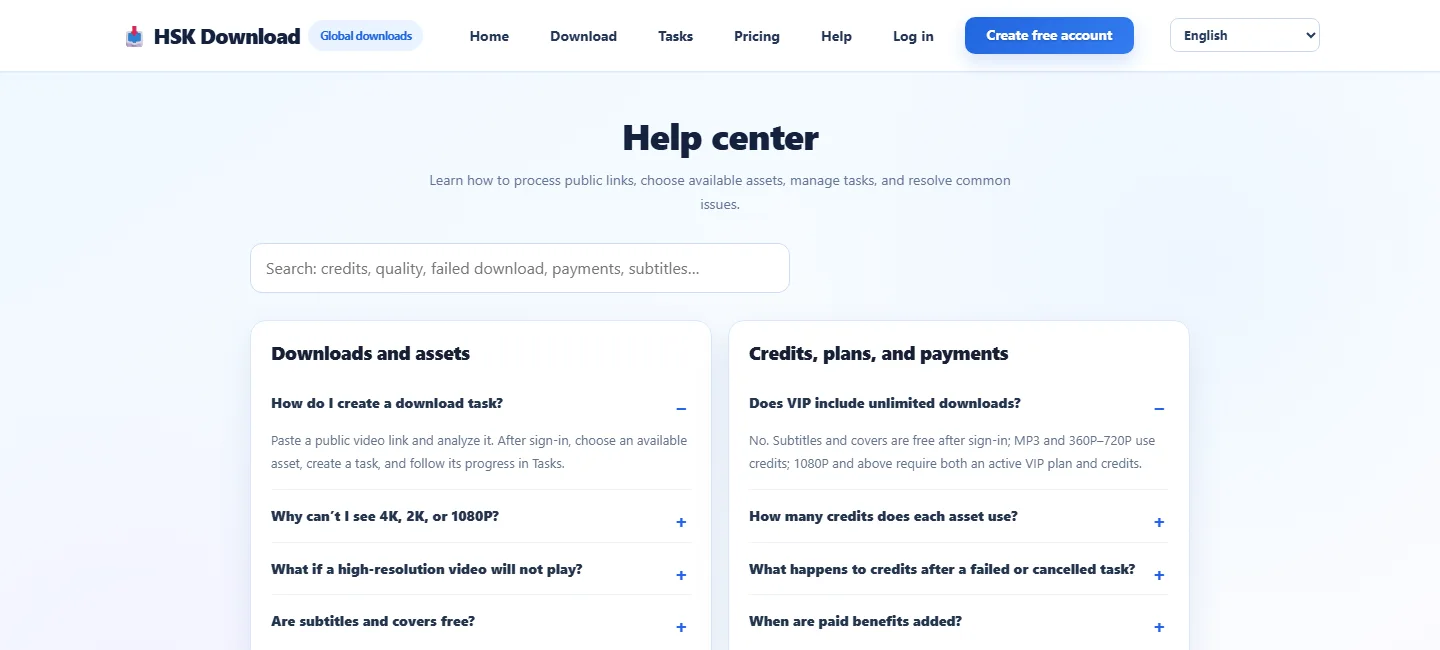
*The real help page includes questions about unavailable high resolutions, playback problems, subtitles, covers, credits, and failed or cancelled tasks. Use current on-page guidance for account or task questions instead of guessing from a quality label.*
If an option is absent, the safe conclusion is that it was not offered for that analysed source or context. Recheck the intended public link and the visible result; do not infer hidden capabilities.
Apply a final decision checklist
Before keeping the MP3, confirm all of the following: you own or are authorised to use the material; the analysed result matches the intended source; MP3 preserves the information you need; the choice is actually offered; a representative listening test passes on the destination device; file size fits the storage plan; beginning, middle, end, duration, seeking, and channels are correct; the filename and permission record are clear; and every licence, attribution, sharing, or deletion condition is respected.
The strongest quality decision is evidence-based. It combines a lawful source, an option that truly exists, a controlled listening comparison, a realistic storage calculation, and a verified finished file.
Frequently asked questions
Is the highest available MP3 quality always best?
No. It creates a larger file and may preserve more detail, but the benefit depends on the source, content, and playback device. Keep it only when a controlled listening test shows a useful difference.
What quality should I choose for a spoken lecture?
Start with a moderate option that the analysed result actually offers. Test names, numbers, quiet consonants, and a noisy passage on the device you will use. Move higher only if intelligibility improves.
Can a higher bitrate repair poor source audio?
No. It cannot restore clipped peaks, missing frequencies, distant speech, room echo, or information discarded by earlier compression. Seek an authorised original or transcript when available.
How can I estimate MP3 file size?
Multiply bitrate in kbps by duration in seconds, then divide by 8 and 1,000 for an approximate decimal MB value. Actual size can differ slightly because of metadata and overhead.
Why does the selector show video resolutions next to MP3?
The interface groups available assets for the analysed video. Video resolution and frame rate describe the picture, not MP3 audio fidelity. Choose only the asset relevant to your purpose.
May I share the MP3 after testing it?
Only if the rights holder, licence, institution, and platform rules allow sharing. Permission to create or keep a personal authorised copy does not automatically allow redistribution.