youtube transcript download: Match the search intent
Confirm transcript availability, choose the right language, and verify timestamps, encoding and exported caption text.
Process only public media you own, are authorised to use, that is in the public domain, or that you may otherwise use lawfully. Public visibility alone does not grant copying or republication rights.
Quick answer: save the caption track, not the video
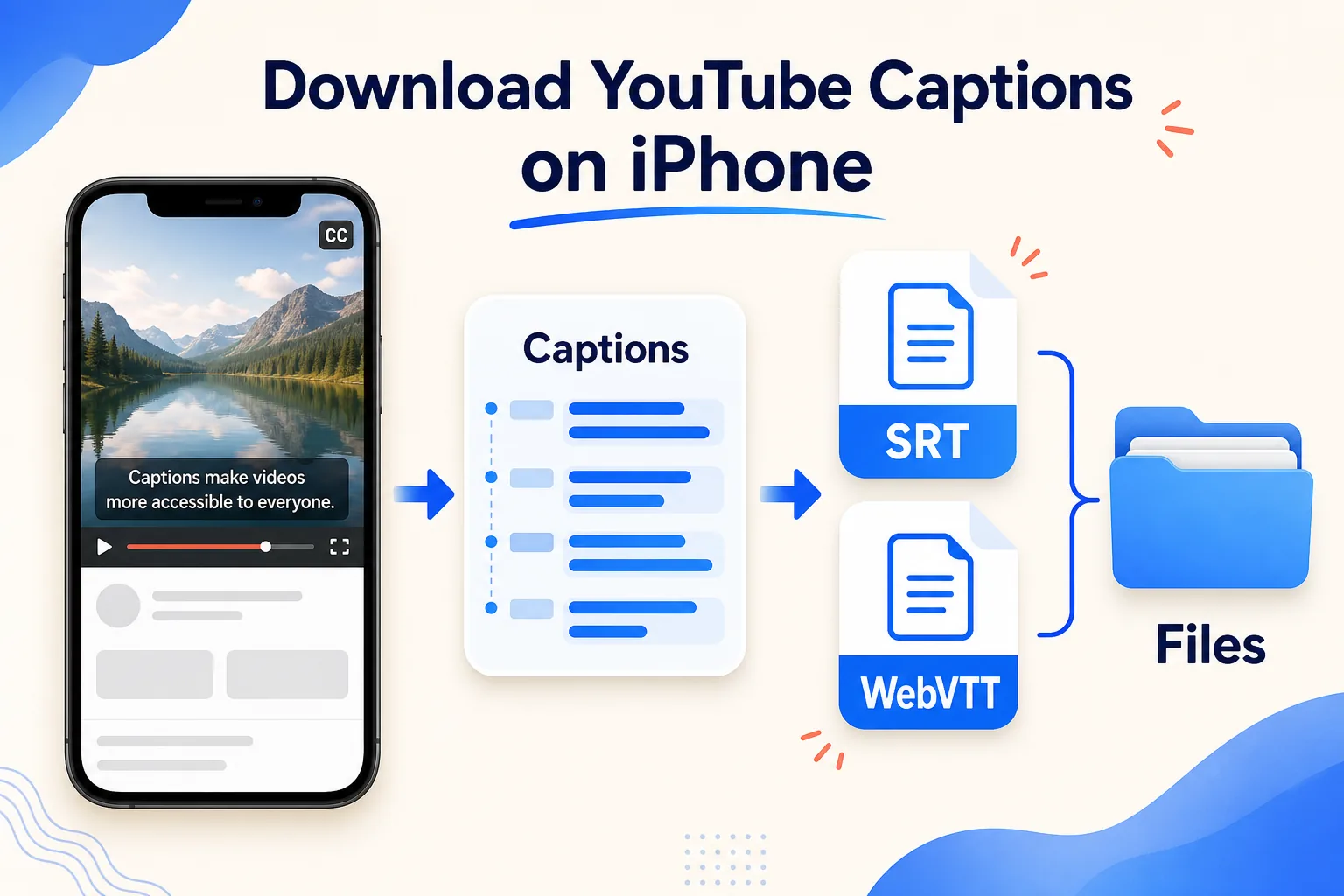
To download YouTube captions on iPhone, begin with a public video that has an available caption track and that you own, are authorized to use, or may otherwise use lawfully. Copy the video's public URL, open the HSK Download tool in Safari, analyze the link, and look specifically for subtitle or caption assets. Choose the correct language and save either SRT or WebVTT to the Files app.
Downloading captions is different from extracting audio or creating a new transcript. A caption download preserves a track that the source already provides. If no caption track appears in the analysis, the workflow cannot invent one. In that case, the owner can create captions from the original material with an authorized transcription and caption-editing process.
Confirm rights, availability, and purpose
Before saving a caption file, confirm three separate permissions: access to the public video, permission to copy the captions, and permission for the use you intend. Captions may contain the creator's written expression even when the video is publicly viewable. A public URL alone does not grant permission to republish or translate the text.
This tutorial applies to your own videos, material supplied with authorization, public-domain content, or another lawful use. It does not cover defeating DRM, paywalls, private-video controls, account permissions, regional limits, or security measures. If a video requires an account or special access, use the owner's export method or ask the owner to provide the caption file.
Decide what you need before choosing a format. SRT is widely accepted by editors and publishing systems. WebVTT is common for web players and can carry web-oriented cue information. If a destination service publishes an import specification, follow that specification rather than converting files repeatedly.
Understand caption tracks and language labels
A single video can have several caption tracks. They may include creator-edited captions, automatic captions, translations, or accessibility tracks with sound descriptions. Select by language code and track label, not merely by the first item in the list.
Creator-edited captions are usually the best starting point because a person may have corrected names, punctuation, and timing. Automatic captions can still be useful for review, but they often mishear proper nouns, technical terms, numbers, and overlapping speech. Treat an automatic track as a draft until you compare it with the audio.
The label “English” may not tell the whole story. Look for regional variants such as English (United States) or English (United Kingdom), and distinguish original-language captions from translated tracks. When two tracks appear similar, download only the one relevant to the project, then verify its first cues before proceeding.
Step 1: copy the individual public video URL
Open the video in its official app or webpage, use Share, and choose Copy Link. The URL should identify one video. A channel page, search results page, playlist overview, or screenshot does not identify the caption asset precisely enough.
If you copy from Safari's address bar, make sure the video itself is open and playable. Paste the link into Notes if you want to check that it begins with https:// and contains no accidental spaces. Do not enter platform account credentials into a public-link tool. Private or account-controlled material should remain within the authorized platform workflow.
Keep a record of the source URL, video title, caption language, and download date. Those details make it easier to trace corrections and confirm permission later, especially if several caption versions have similar filenames.
Step 2: analyze the link and choose captions
Open the HSK Download tool in Safari, paste the public URL, and start the analysis. Confirm that the displayed title or preview corresponds to the intended video. Then find the subtitle or caption results rather than a video or audio option.
Review each listed language. Choose the source-language track when accuracy matters and you plan to make a separate authorized translation. Choose an existing translated track only when that exact track is the material you are permitted to use. Do not assume that a translated label means the translation was reviewed by a person.
If captions are not listed, return to the source video and check whether its player actually offers them. Captions may be absent, still processing, disabled by the owner, or unavailable for that item. Repeatedly changing the file extension cannot create a missing track.
Step 3: select SRT or WebVTT
Choose the file format according to the destination:
- SRT is a practical default for many desktop and mobile editors. It stores numbered cues, start and end times, and caption text.
- WebVTT is designed for web video. It begins with a
WEBVTTheader and uses timestamp syntax suited to browser players.
SRT typically uses a comma before milliseconds, as in 00:00:04,500. WebVTT typically uses a period, as in 00:00:04.500. Do not change punctuation casually; a destination app may reject a file whose timestamp syntax does not match its extension.
When both formats are available and the final destination is uncertain, SRT is often easier to inspect and import broadly. For a web project that explicitly requests VTT, keep WebVTT as the source. Avoid converting back and forth because each extra step can introduce timing or encoding mistakes.
Step 4: save the caption file in Files
Start the caption download in Safari and confirm the browser's download prompt. When it finishes, tap Safari's download indicator or open Files and browse to Downloads. Depending on your settings, that folder may be under iCloud Drive or On My iPhone.
Create a project folder and move the file into it. Use a name that records the video, language, and format, for example product-demo-en-us.srt or lecture-es.vtt. Do not change only the extension to convert a file; SRT and WebVTT have different internal rules.
Files may not display timed captions as a video overlay. That is normal. A caption file is structured text meant to be imported beside a matching video. Use a trusted text editor for inspection or a compatible caption/video editor for synchronized preview.
Step 5: inspect the file before using it
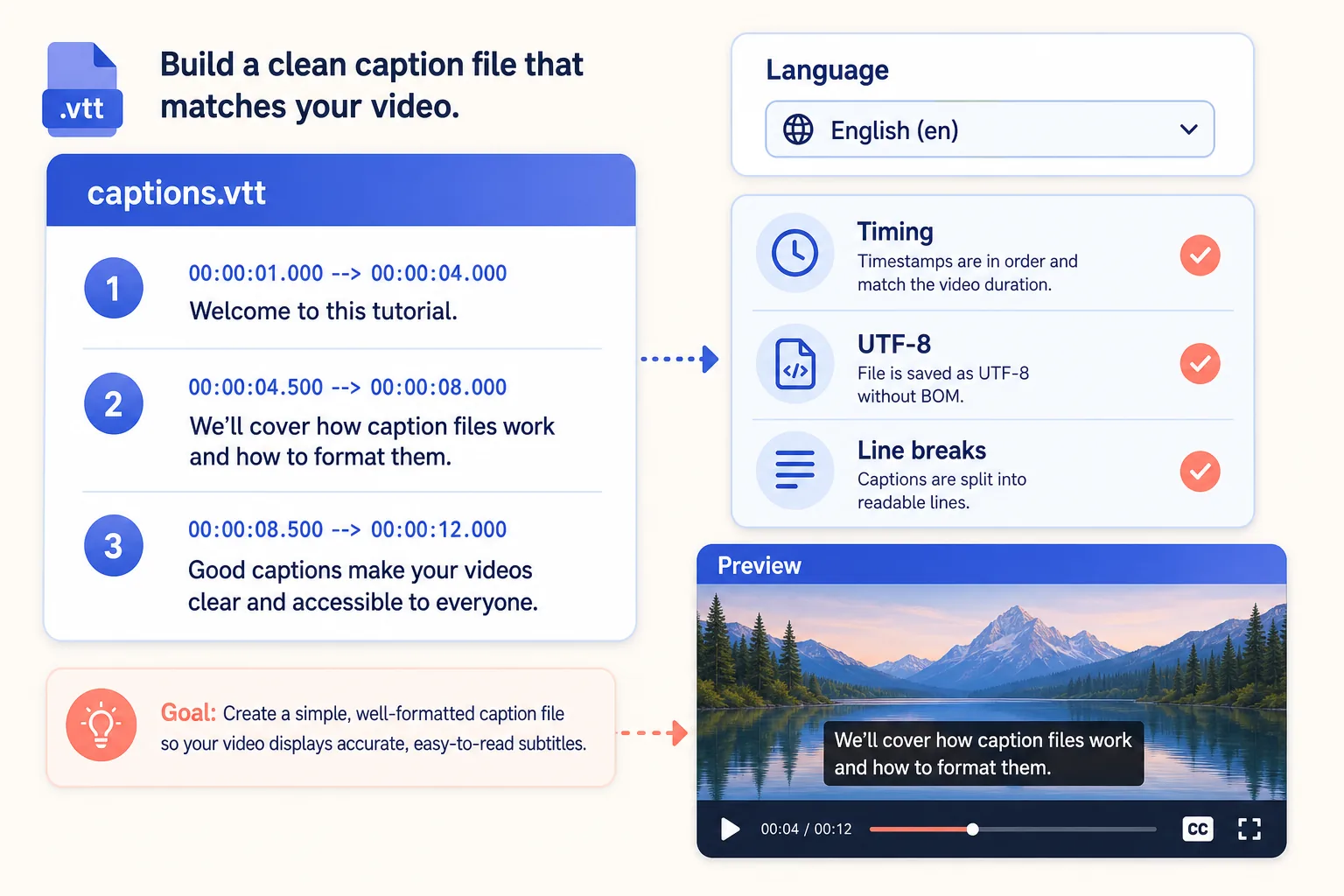
Open a copy in a text editor that preserves plain text. Check the beginning, a middle section, and the final cues. A valid SRT cue normally has a number, a timing line, and one or more text lines. A WebVTT file should have the proper header and ordered timestamps.
Confirm the following:
- The language matches the label you selected.
- Timestamps increase in order and stay within the video duration.
- Speaker names, numbers, and important terms match the audio.
- Caption lines are readable rather than crowded into long paragraphs.
- Non-English characters display correctly.
Do not “clean up” timestamps with smart punctuation from a rich-text editor. Curly punctuation in ordinary dialogue may be acceptable, but timing arrows and separators must remain in the syntax expected by the format.
Match the caption file to the correct video
A caption file can be accurate yet drift when paired with a different cut of the video. An added intro, removed pause, changed frame rate, or edited sponsor segment can shift every later cue. Pair the captions with the exact video version from which the track came.
Import the authorized video and caption file into a compatible editor or player. Preview at least five locations: the opening line, an early transition, the midpoint, a late section, and the final cue. If the offset stays constant, the entire track may need a uniform timing adjustment. If the error grows gradually, the video version or time base may differ.
Make timing changes in caption software that preserves the file format. Keep an untouched copy of the downloaded track so that you can compare revisions. Version names such as v1-original, v2-timing, and v3-proofread are more reliable than repeatedly overwriting one file.
Improve readability without changing meaning
Good captions are concise enough to read while the related speech is heard. Break lines at natural phrase boundaries. Avoid leaving an article, preposition, or speaker label stranded on a line when a clearer break is possible. Keep terminology consistent across the file.
Correct obvious recognition errors only after checking the audio or an approved script. Names, product terms, URLs, measurements, and numbers deserve extra attention. Do not silently rewrite the speaker's meaning. If the project requires edited or “clean” captions, document that editorial choice separately.
For accessibility, identify speakers when the viewer cannot infer them, and include meaningful non-speech information when it is part of the authorized captioning brief. Do not add speculative sound descriptions. Accuracy is more important than decorative detail.
Troubleshooting on iPhone
No caption option appears. Confirm that captions are available in the source player and that the URL points to the individual public video. A missing track cannot be recovered by renaming another file.
The downloaded file looks blank in Quick Look. Open it with a plain-text editor or import it into a compatible caption editor. Files does not need to render timed text as video captions.
Accented or Asian characters are corrupted. Preserve UTF-8 encoding. Avoid editors that save with an unknown legacy encoding, and verify the text again after saving.
The editor rejects the file. Confirm that its extension matches its internal syntax. Check the SRT comma or WebVTT period in timestamps, the VTT header, cue order, and blank lines between cues.
Captions drift out of sync. Verify that the caption track belongs to the exact video cut. Test whether the difference is a constant offset or grows over time before adjusting anything.
Only automatic captions are available. Treat them as a draft. Proofread names, numbers, punctuation, and unclear speech against the authorized source.
Responsible publishing checklist
Before importing, translating, sharing, or publishing the captions, verify that:
- You own the captions, received permission, they are public domain, or the use is otherwise lawful.
- The saved track belongs to the correct public video and language.
- The destination accepts the selected SRT or WebVTT format.
- Timing, encoding, line breaks, and important terms have been checked.
- Credits, notices, and license conditions are preserved where required.
- No private access, DRM, payment control, regional control, or security measure was defeated.
HSK Download can help retrieve an available caption asset from an eligible public link, but it does not grant rights to reuse the text. Keep permission records with the project and use the owner's official file whenever it is available.