youtube to mp3: Match the search intent
A search for youtube to mp3 usually calls for a clear decision, not a page of unexplained buttons. It compares speech, music and storage needs so you can choose a useful bitrate without assuming that a larger number improves the source. This illustrated guide uses real interface screenshots and applies only to public media you own, are authorised to process, or may lawfully use.
The best YouTube to MP3 quality setting is the available option that suits your authorised listening purpose, device, and storage—not automatically the largest number. A high setting cannot recreate detail that was not present in the original upload, while an unnecessarily large file can be slow to save and awkward to manage. Start with the source you are allowed to use, then compare the real choices shown for that source.
This guide is for audio you own, have permission to save, is public domain, or is otherwise lawfully available for your stated purpose. It does not grant rights to third-party media or explain how to overcome DRM, paywalls, account barriers, private material, regional controls, or other restrictions.
Begin with the original source quality
Every later choice is limited by the original recording. A quiet voice recording, a compressed livestream replay, and a carefully produced music track may all have different starting points. Selecting a larger available audio file can change the delivered option, but it cannot recover frequencies, separation, or dynamics that the original source never contained.
Open the original public page first and confirm that it is the exact authorised item. Listen briefly if quality is important. This avoids spending time comparing settings for an incorrect upload, a clipped extract, or a source that is no longer publicly available. Keep permission and intended use in mind as you work; a technical choice does not create a licence.
Learn what a quality label can and cannot tell you
Quality labels, bitrate figures, and file-size estimates are useful comparison signals, but they are not a promise that every file will sound the same. Duration, the original encoding, speech pauses, music complexity, and the playback device all affect the result. Treat a displayed label as a description of an offered option for this source, not as a universal ranking.
Do not assume that a keyword such as “high quality” means a particular option will appear. Analyse the authorised public link and read what the service actually displays. If an expected setting is absent, choose an available alternative only if it meets your purpose; otherwise return to the rights holder or source platform for an approved version.
Decide whether you are listening to speech or music
Speech and music reward different priorities. For lectures, interviews, language practice, and meeting recordings, intelligibility, manageable size, and dependable playback often matter most. You may prefer an available setting that is easy to keep on an iPhone and clear enough for repeated listening.
Music can make differences in the original recording more noticeable, especially with good headphones or speakers. That does not mean the largest option is always necessary. Consider where and how you will listen, how much storage is available, and whether the original source supports the level of detail you expect. A deliberate choice is better than a reflexive one.
Compare the available options before creating a task
After analysing the link, pause at the option list. Look at the visible type, quality wording, and approximate file size. Confirm that the choice is audio, not a video item you have mistaken for audio. If several legitimate audio choices are listed, compare them against a simple question: what will make this authorised file useful on this device?
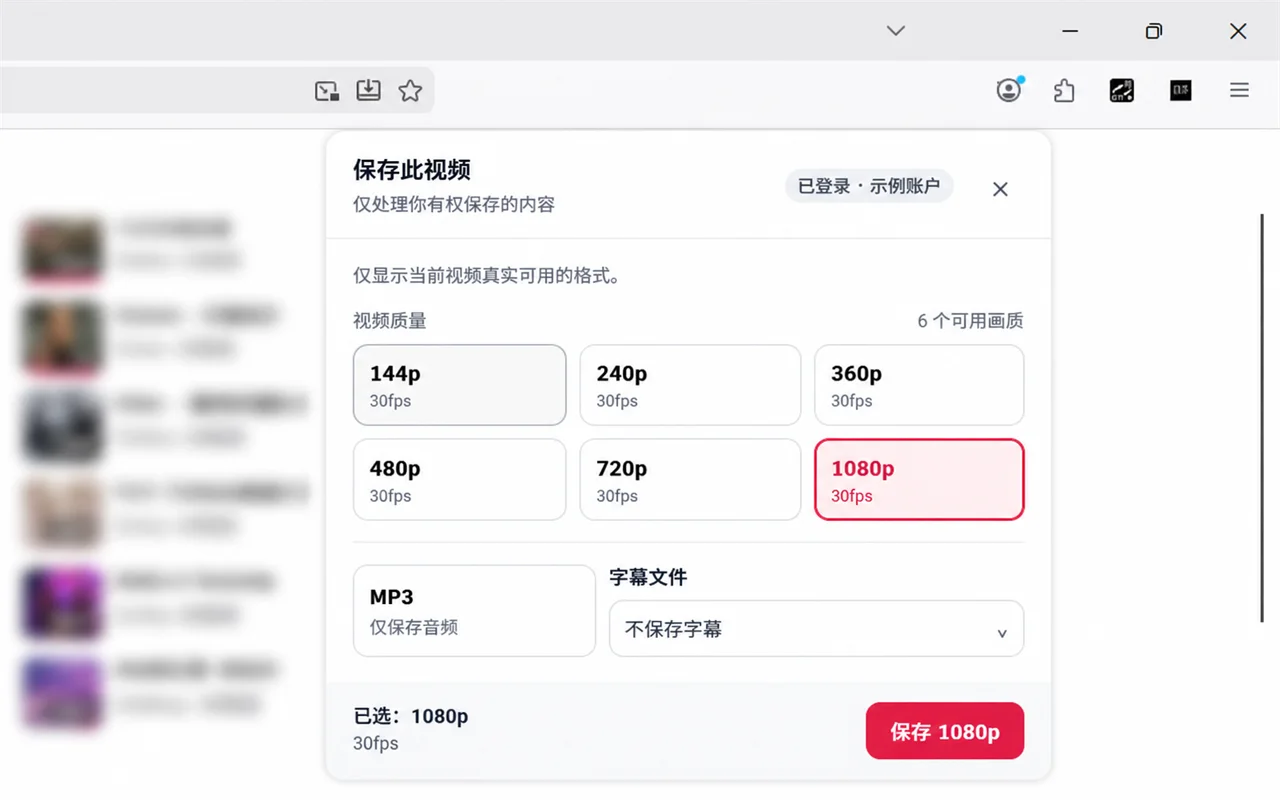
Choose once, then create one task. Repeated identical tasks do not improve the underlying source and can leave you with confusing duplicates. Record the selected option in a project note when the audio is for a course, review, archive, or client-approved workflow.
Balance file size with real storage limits
File size is not an abstract number on a page. It affects the browser transfer, the space needed in Files or a computer folder, cloud synchronisation, backups, and sharing through an approved channel. Check free storage before choosing the largest available option, particularly for long recordings or several items in a series.
A compact available setting can be sensible for a spoken briefing you will hear once, while a longer-term authorised reference may justify additional storage. Leave room for the transfer itself and for any cloud copy. A phone or computer that is almost full can interrupt a download even when the task completed correctly.
Consider playback hardware and apps
The same audio file can feel different on a phone speaker, basic earbuds, a car system, and studio headphones. Start with the equipment you will actually use most often. If you listen in a noisy commute environment, stable speech clarity may be more valuable than a large file you cannot distinguish there.
Check that your intended player supports the available file type. Test a completed authorised file from its saved location before moving or sharing it. Do not rename an extension as though that converts the audio; changing a label does not change the encoded content and can hide the actual playback issue.
Use a short listening test when the choice matters
If the source and your permission allow it, compare a short section after saving an available option. Use a passage with both quiet and busy moments: for speech, listen for consonants and background noise; for music, listen for obvious distortion, abrupt changes, or detail that matters to you. Keep the comparison practical rather than chasing an abstract maximum.
Do not treat a limited phone speaker test as proof that a larger option is useless everywhere, or a premium headphone test as proof that everyone needs it. The purpose, the original source, and the intended device together determine a reasonable setting.
Avoid false fixes for low-quality audio
Upsampling, re-encoding, changing the filename, or placing a tiny file in a folder called “high quality” cannot restore missing source information. These actions may increase file size or create confusion without improving listening. If the original authorised source is unclear, distorted, or incomplete, the honest solution is to obtain a better authorised source from its owner or platform.
Similarly, do not manipulate a link to try to expose options that were not offered. The options list reflects what is legitimately available from that source. Respecting that boundary protects creators and gives you a workflow you can document without caveats.
Watch the task and transfer as separate stages
Creating a task prepares the selected file; saving it through the browser transfers it to your device. A completed task is not proof that the local transfer has finished. Wait for the browser's download indicator, then locate the final item in Files or the selected folder. A very small or temporary item can indicate an incomplete transfer.
The help path is useful when you need to distinguish a source, task, file, or playback problem. Read the task state and any message before retrying.
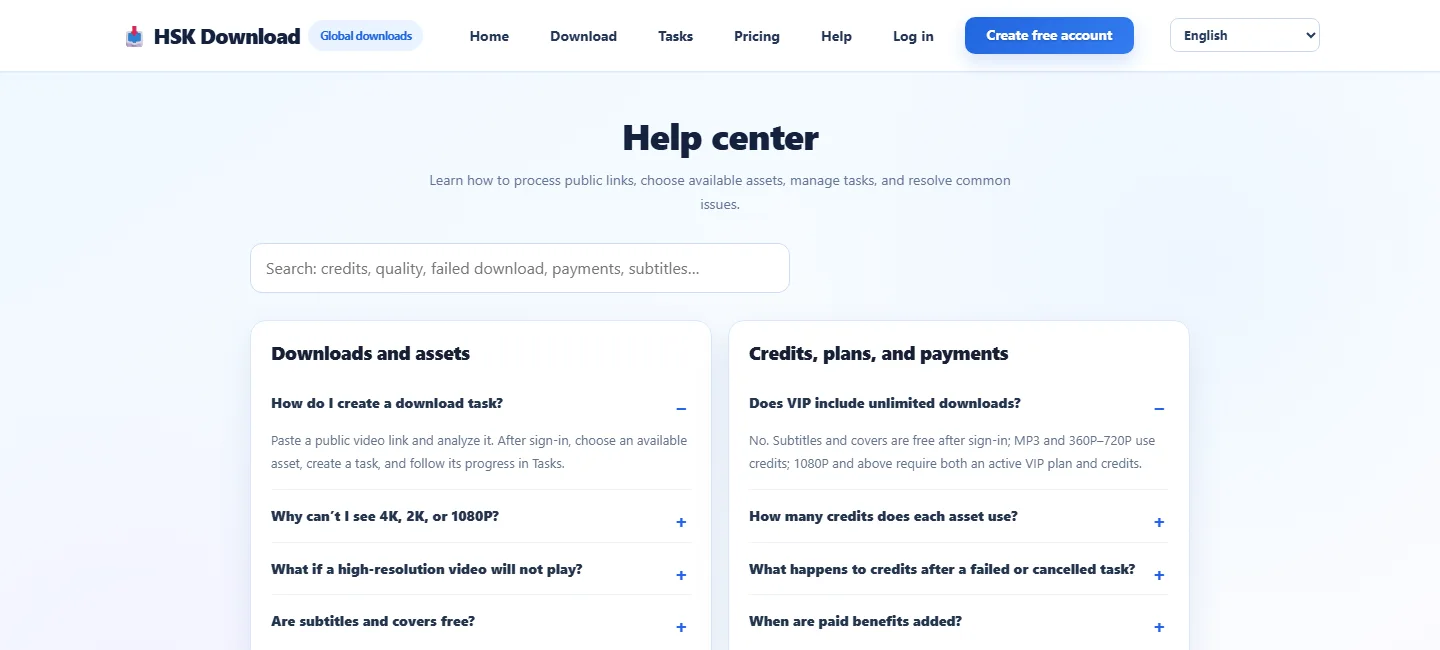
If a completed link has expired, return to the original authorised public source, confirm it remains available and permitted, then create a new task only when appropriate. Do not rely on a workaround for a restricted or removed source.
Build a repeatable selection policy
For recurring authorised work, decide in advance what you value: a compact option for spoken notes, a larger available option for approved music reference, a specific storage ceiling, or a required player. Write that policy in plain language so another authorised colleague can make the same decision without guessing.
Also name files and folders consistently. Include the source, date, and approved use where suitable. This makes it easier to trace a file back to the public source and permission context, and it reduces the chance that an audio copy is redistributed beyond its allowed purpose.
Make the final choice with this checklist
Confirm your rights and the original public source; analyse the complete link; inspect only the displayed choices; decide whether speech or music is the main use; compare size with available storage; consider your real player; create one task; wait for the browser transfer; and test the finished file. With an authorised public link ready, you can open the HSK Download tool.
This sequence prevents both overpromising and needless compromise. It recognises the source's limits, treats the displayed choices as real evidence, and keeps storage, playback, and permission in the same decision rather than treating bitrate as the only variable.
Frequently asked questions
Does a higher bitrate improve every file?
No. It cannot restore detail missing from the original source. Choose only among the displayed options and match the choice to your listening and storage needs.
What quality is best for spoken lessons?
Speech often benefits from clear, practical playback and manageable size. Use the available option that meets your authorised purpose, then listen to the completed file on the device you actually use.
What quality should I choose for music?
Compare only the choices shown, your playback equipment, and your storage. Remember that an option cannot add detail absent in the original recording.
Why is my audio file larger than expected?
Duration, the offered quality, and the audio itself all affect size. Check the estimate and free storage before creating the task.
Can I turn a small file into high quality later?
No. Re-encoding or changing labels cannot recreate missing source detail. Obtain a better authorised source when one is needed.
Why does an option not appear for a link?
Choices vary by public source and lawful availability. Do not assume every link will expose a particular type or quality.